
What Are The Best Microsoft Teams Headsets?
With so many companies on Microsoft Teams, organizations are constantly searching for the best Teams headset. Understanding headset options, special features, issues and headset styles is essential to finding the perfect Microsoft Teams-compatible headsets.
Table of Contents
 Native Microsoft Teams Headsets
 Microsoft Certified w/ Teams Button
 Standard UC Headsets
 Poly's Certified Headset Lineup
 Known Issues
 Microsoft Teams Button Capabilities
 Which Is the Best Teams Headeset?
 Frequently Asked Questions
New to computer USB headsets? Watch our corded and wireless USB headset basics to learn what concepts will benefit you.
Three Configurations of Microsoft Teams Headsets:
1) Native Microsoft Teams Headsets
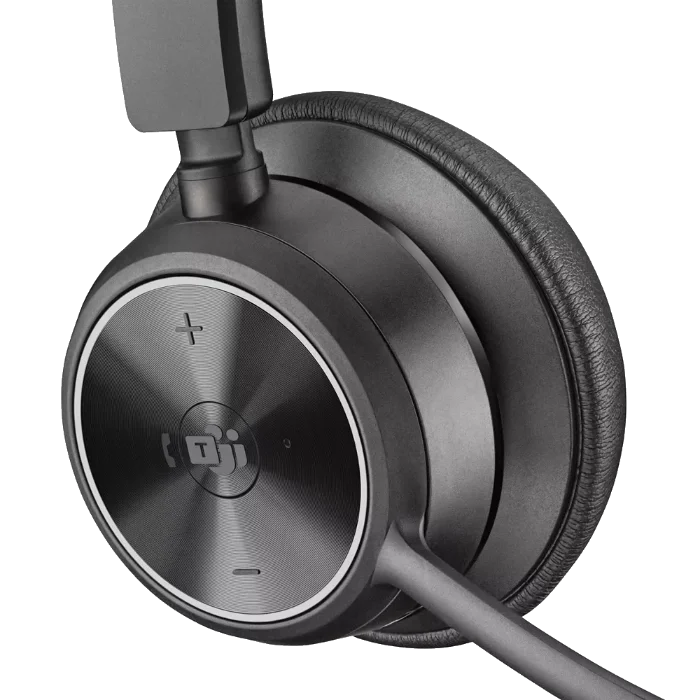
If you’re looking for the best Microsoft Teams headset, this version will automatically detect and configure itself for Teams.
Headsets like the Poly Mission and Focus 6 series are certified for Microsoft Teams, including Open Office certification, so Teams recognizes the device the moment it’s connected. Models with a built-in busy light — like the Mission 600 and Mission 800 series — turn that light on automatically once you join a call, giving coworkers a visual cue that you’re occupied. We cover these features, along with Poly’s other Teams-specific options, in greater detail below.
-
Original price was: $42.77.$39.21Current price is: $39.21.
Sale!
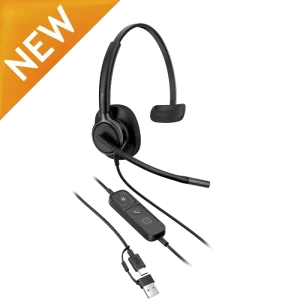 HP Poly Mission 415 USB Mono Headset Classic (Foam Cushion)(PC)Add to cart
-
Original price was: $50.15.$45.98Current price is: $45.98.
Sale!
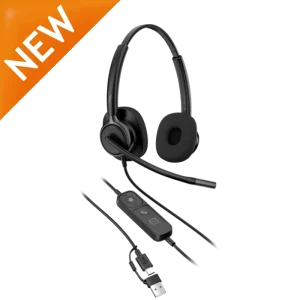 HP Poly Mission 425 USB Stereo Headset Classic (Foam Cushions)(PC)Add to cart
-
Original price was: $51.62.$47.33Current price is: $47.33.
Sale!
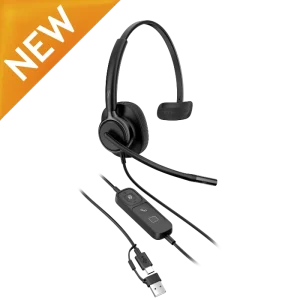 HP Poly Mission 415 USB Mono Headset (Leatherette Cushion)(PC)Add to cart
-
Original price was: $59.00.$54.10Current price is: $54.10.
Sale!
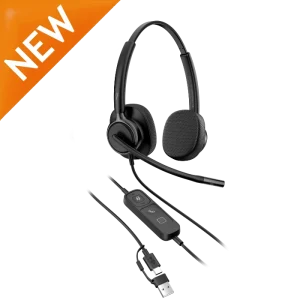 HP Poly Mission 425 USB Stereo Headset (Leatherette Cushions)(PC)Add to cart
-
Original price was: $103.28.$94.68Current price is: $94.68.
Sale!
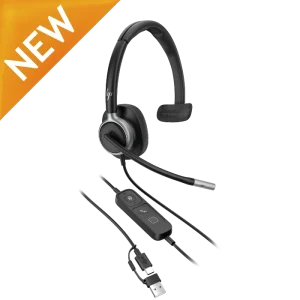 HP Poly Mission 615 USB Mono Headset(PC)Add to cart
-
Original price was: $110.66.$101.44Current price is: $101.44.
Sale!
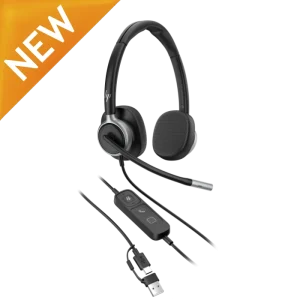 HP Poly Mission 625 USB Stereo Headset(PC)Add to cart
-
Original price was: $132.80.$121.74Current price is: $121.74.
Sale!
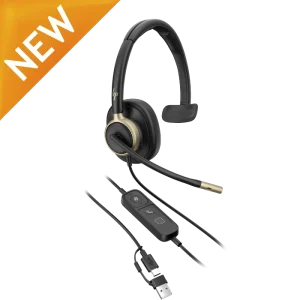 HP Poly Mission 815 USB Mono Headset(PC)Add to cart
-
Original price was: $140.18.$128.51Current price is: $128.51.
Sale!
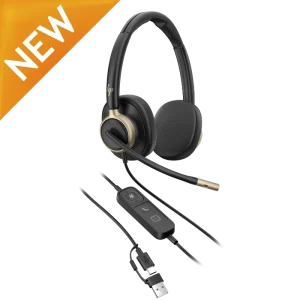 HP Poly Mission 825 USB Stereo Headset(PC)Add to cart
-
Original price was: $270.56.$245.97Current price is: $245.97.
Sale!
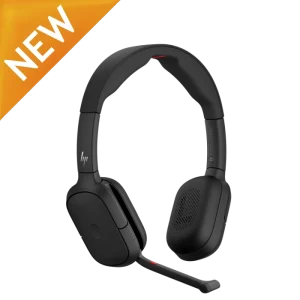 HP Poly Focus 625 Fold Stereo Bluetooth Headset(PC + Mobile)Add to cart
-
Original price was: $257.03.$233.67Current price is: $233.67.
Sale!
HP Poly Focus 625 Stereo Bluetooth Headset(PC + Mobile)Add to cart
-
Original price was: $304.39.$276.72Current price is: $276.72.
Sale!
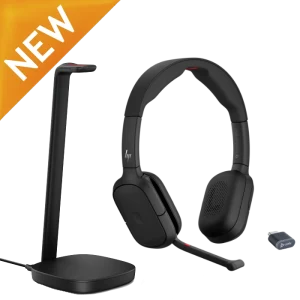 HP Poly Focus 625 Stereo Bluetooth Headset (w/Stand)(PC + Mobile)Add to cart
-
$69.99
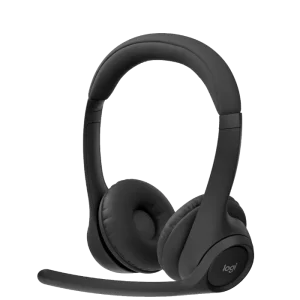 Logitech Zone 305 Wireless Native Bluetooth Headset(PC + Mobile) for TeamsAdd to cart
For a complete listing of options, see our wireless Microsoft Teams headsets and wired Microsoft Teams headsets.
2) Microsoft Certified with Teams Button
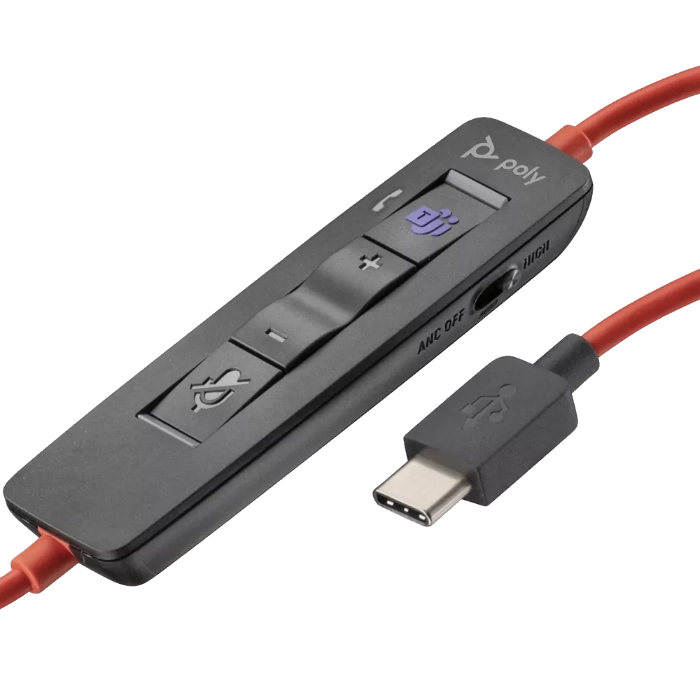
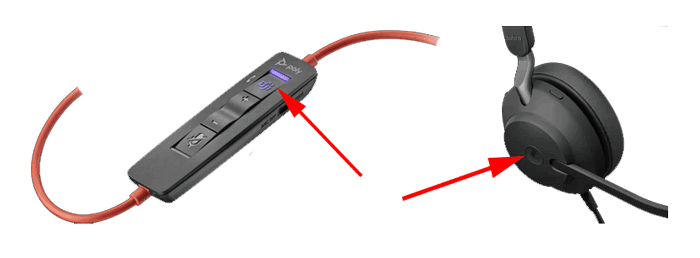
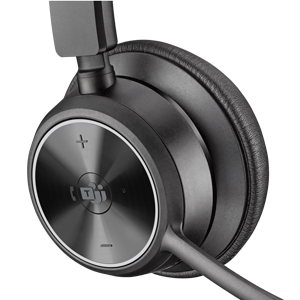
Most headsets that are Microsoft Certified or Optimized for Microsoft will have a designated button that activates Microsoft Teams on your PC or mobile device.
This Microsoft headset technology provides a button designated for Microsoft Teams. First, when the headset is connected to your PC, it will automatically configure it as your default audio source for Teams. Second, when the Teams button is pressed, it pops up your Microsoft Teams screen to the forefront, making it easy to access.
-
$166.97
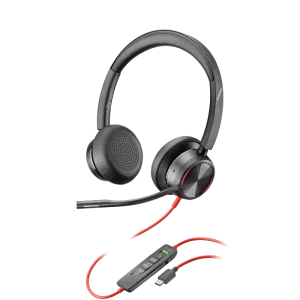 Poly Blackwire 8225 UC USB Headset(PC + Mobile) & Teams VersionSelect options
This product has multiple variants. The options may be chosen on the product page
Poly Blackwire 8225 UC USB Headset(PC + Mobile) & Teams VersionSelect options
This product has multiple variants. The options may be chosen on the product page
-
$70.12
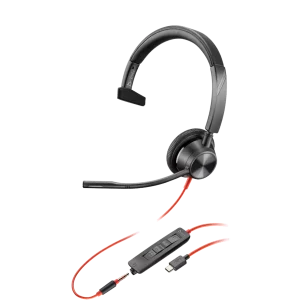 Poly Blackwire BW3315 USB Headset(PC + 3.5mm) & Teams VersionSelect options
This product has multiple variants. The options may be chosen on the product page
Poly Blackwire BW3315 USB Headset(PC + 3.5mm) & Teams VersionSelect options
This product has multiple variants. The options may be chosen on the product page
-
$162.00
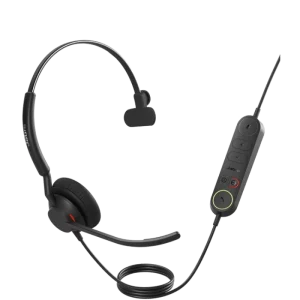 Jabra Engage 40 USB Mono Headset(PC) & Teams VersionSelect options
This product has multiple variants. The options may be chosen on the product page
Jabra Engage 40 USB Mono Headset(PC) & Teams VersionSelect options
This product has multiple variants. The options may be chosen on the product page
-
$247.00
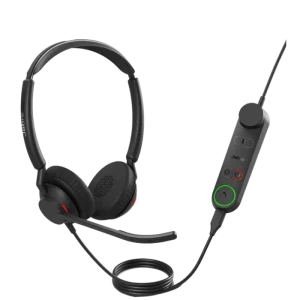 Jabra Engage 50 II USB Stereo Headset(PC) & Teams VersionSelect options
This product has multiple variants. The options may be chosen on the product page
Jabra Engage 50 II USB Stereo Headset(PC) & Teams VersionSelect options
This product has multiple variants. The options may be chosen on the product page
-
$283.00
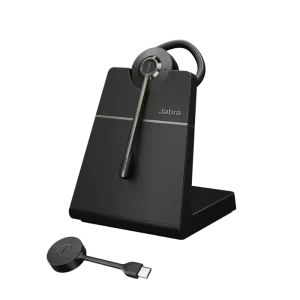 Jabra Engage 55 SE Convertible Wireless Headset (w/ Stand)(PC) & Teams VersionSelect options
This product has multiple variants. The options may be chosen on the product page
Jabra Engage 55 SE Convertible Wireless Headset (w/ Stand)(PC) & Teams VersionSelect options
This product has multiple variants. The options may be chosen on the product page
-
$283.00
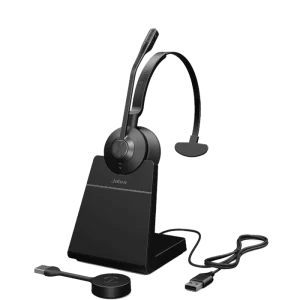 Jabra Engage 55 SE Mono Wireless Headset (w/ Stand)(PC) & Teams VersionSelect options
This product has multiple variants. The options may be chosen on the product page
Jabra Engage 55 SE Mono Wireless Headset (w/ Stand)(PC) & Teams VersionSelect options
This product has multiple variants. The options may be chosen on the product page
-
$154.90
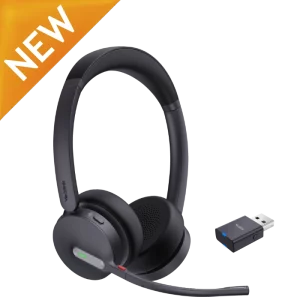 Yealink WH64 Hybrid Dual Wireless Headset(Desk Phone + PC + Mobile) & Teams VersionSelect options
This product has multiple variants. The options may be chosen on the product page
Yealink WH64 Hybrid Dual Wireless Headset(Desk Phone + PC + Mobile) & Teams VersionSelect options
This product has multiple variants. The options may be chosen on the product page
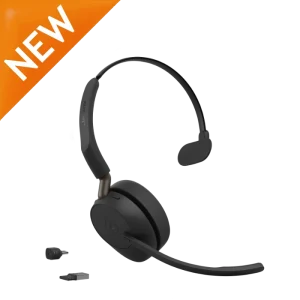 Jabra Evolve3 45 Mono Headset(PC + Mobile) & Teams VersionSelect options
This product has multiple variants. The options may be chosen on the product page
Jabra Evolve3 45 Mono Headset(PC + Mobile) & Teams VersionSelect options
This product has multiple variants. The options may be chosen on the product page
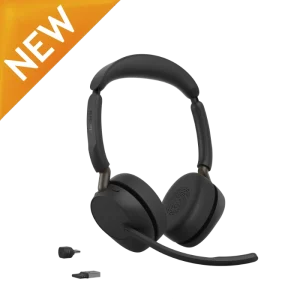 Jabra Evolve3 65 Stereo Headset(PC + Mobile) & Teams VersionSelect options
This product has multiple variants. The options may be chosen on the product page
Jabra Evolve3 65 Stereo Headset(PC + Mobile) & Teams VersionSelect options
This product has multiple variants. The options may be chosen on the product page
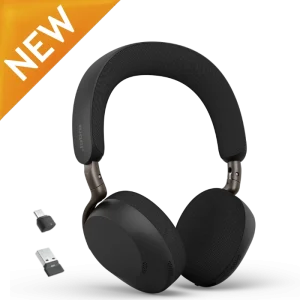 Jabra Evolve3 75 Wireless Stereo Headset(PC + Mobile) & Teams VersionSelect options
This product has multiple variants. The options may be chosen on the product page
Jabra Evolve3 75 Wireless Stereo Headset(PC + Mobile) & Teams VersionSelect options
This product has multiple variants. The options may be chosen on the product page
 Jabra Evolve3 85 Wireless Stereo Over-Ear Headset(PC + Mobile + 3.5mm) & Teams VersionSelect options
This product has multiple variants. The options may be chosen on the product page
Jabra Evolve3 85 Wireless Stereo Over-Ear Headset(PC + Mobile + 3.5mm) & Teams VersionSelect options
This product has multiple variants. The options may be chosen on the product page
For a complete listing of options, see our wireless Microsoft Teams headsets and wired Microsoft Teams headsets.
3) Standard UC Headsets
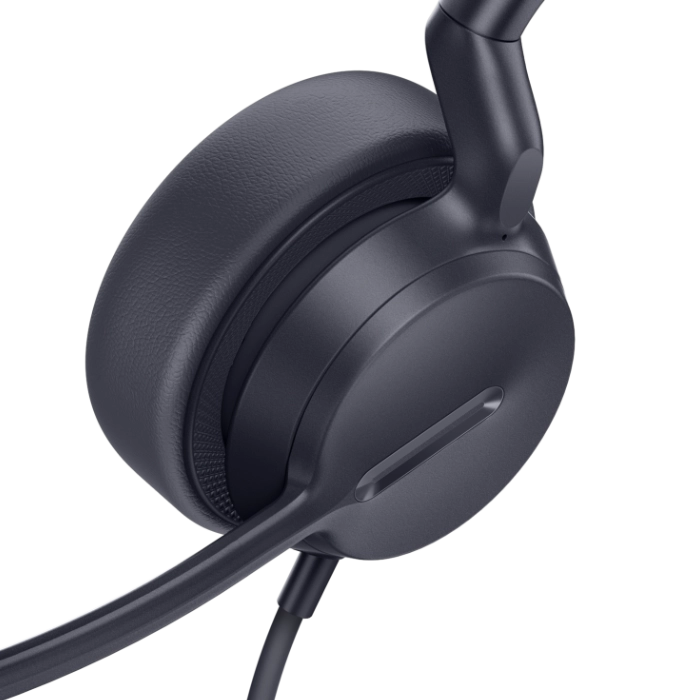
This version may require you to manually configure your computer’s audio settings.
You can take any standard headset and use it with Microsoft Teams. Most computers since 2016-2017 automatically configure your standard headset when it’s plugged in and set it as your default audio device. If your PC doesn’t auto-detect the headset, you will need to spend 15 to 30 seconds going into your computer settings and selecting the headset as your audio device.
Once your standard headset is configured, it works, acts and looks just like any headset that carries the Microsoft Certified label.
In other words, a standard headset is identical to a Microsoft-certified headset externally; the only difference is the firmware. The Microsoft-certified version will auto-configure itself as your default audio device, compared to a standard headset, which you may need to configure manually.
-
$44.19
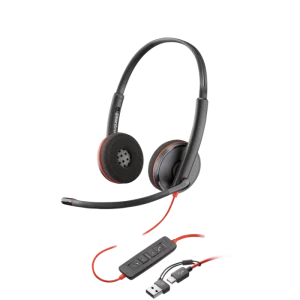 Poly Blackwire 3220 USB Headset(PC)Add to cart
-
$96.81
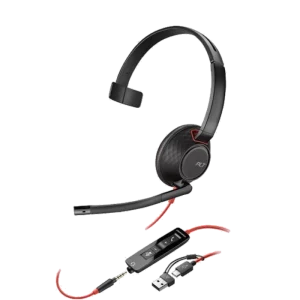 Poly Blackwire 5210 USB Headset(PC + 3.5mm)Add to cart
-
$105.96
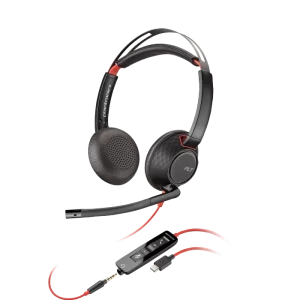 Poly Blackwire 5220 USB Headset(PC + 3.5mm)Add to cart
-
$66.31
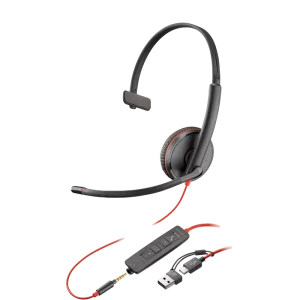 Poly Blackwire 3215 USB Headset(PC + 3.5mm)Add to cart
For a complete listing of options, see our USB headsets.
How Poly’s Certified Headsets Simplify the Teams Equation
If you’ve previously searched for the best headset for Teams, you already understand how IT teams have historically had to match a specific SKU to a specific platform. Poly’s newer Mission and Focus 6 series headsets simplify that math.
Rather than shipping a dedicated “Teams version” and a separate “UC version” of the same headset the way older models like the Voyager Focus 2 still do, Poly certifies the Mission and Focus 6 lines for Microsoft Teams, Zoom, and Google Meet on a single SKU. The same physical headset works across all three platforms out of the box.
What These Headsets Actually Do
Across Poly’s current Teams-ready lineup, several verified features work together to keep calls smooth:
- Boom Rotation Mute — On the Mission 600 and 800 series, flipping the boom mic up mutes it instantly, without a button press or app.
- Smart Sensor auto-answer/auto-mute — On the Focus 625, wearing sensors automatically answer a call when you put the headset on and mute it when you take it off.
- Busy Light — The Mission 600 and 800 series include a built-in busy light (a full 360° light on the 800 series) that turns on during calls so coworkers can see you’re occupied.
This means the same physical headset and the same SKU can move between a Teams call, a Zoom call, and a Google Meet session throughout the day, self-configuring each time, with no manual driver install, no separate firmware flash, and no need to stock a “Teams-only” version alongside a “UC” version for procurement.
Built-In Productivity Features
| Behavior | What Happens | Why It Matters for Teams Users |
| Boom Rotation Mute (Mission 600/800) | Flipping the boom mic up mutes the microphone instantly | Removes the “hot mic” risk in open offices without a manual mute press |
| Smart Sensor auto-answer/auto-mute (Focus 625) | Wearing sensors detect when you put on or take off the headset and answer or mute the call accordingly | Speeds up call pickup and prevents accidental hot mics for hybrid workers |
| Busy Light (Mission 600, full 360° on Mission 800) | An on-device light turns on solid during calls (the Mission 800’s version wraps fully around both earcups) | Gives coworkers a visual cue that you’re on a call, whichever platform you’re using |
Why This Matters for IT and Procurement
Because Mission and Focus 6 series headsets are certified for Teams, Zoom, and Google Meet on a single SKU, IT can standardize on one model for a mixed-platform office instead of provisioning a separate Teams-specific unit, the way they still need to for older headsets like the Voyager Focus 2. That simplifies purchasing and cuts down on the support burden of matching the right SKU to each employee’s primary platform. The HP Poly Lens and Poly Studio apps add another layer of convenience for IT, giving admins one place to manage firmware updates and device settings across the fleet.
Known Issues With Microsoft Teams and Microsoft-Certified Headsets
When you use certain Microsoft Teams-certified headsets with unified communication (UC) platforms such as Microsoft Teams and Cisco Jabber, you may experience feedback issues and incorrect activation. Therefore, if you are using multiple UC platforms, it is best to use standard UC headset models and avoid Microsoft headsets.
Microsoft Teams Button Capabilities
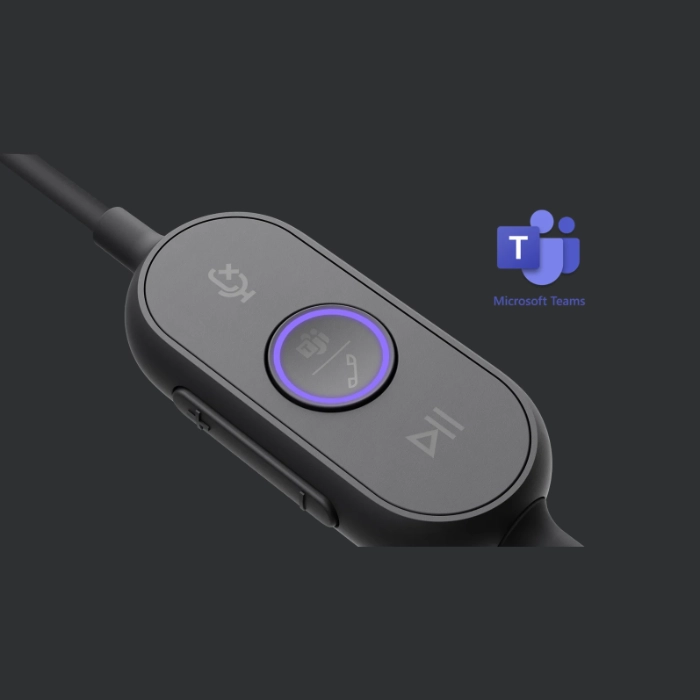
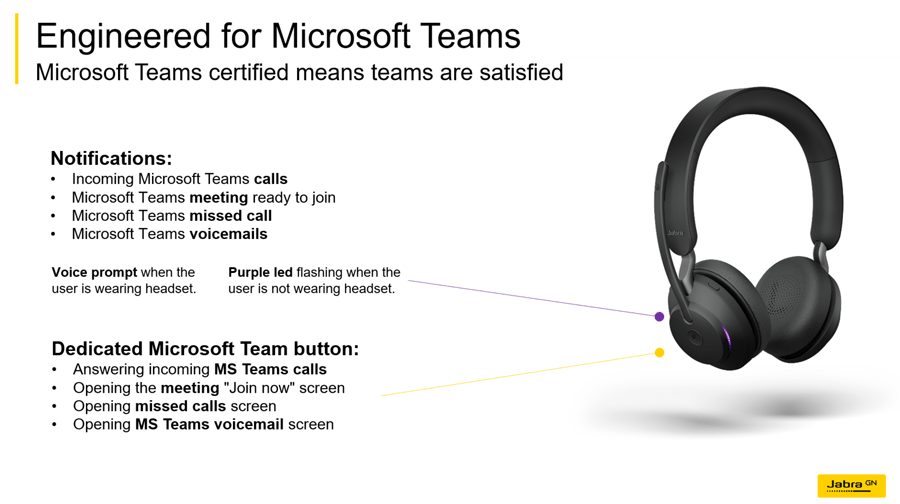
This varies by product, but headsets equipped with a Microsoft Teams button usually allow you to:
- Join a Microsoft Teams meeting — If someone has joined a scheduled meeting that is about to start, the Teams LED will flash. You can join the meeting by tapping the Teams button on your device.
- View Microsoft Teams missed calls and voicemails — If you have any, the LEDs will flash. Tap the Microsoft Teams button to view the list of missed calls and voicemails on your computer.
- Bring Microsoft Teams to the foreground — When Microsoft Teams is running but is minimized, tap the Microsoft Teams button to maximize and bring it to the foreground on your computer.
Which Is the Best Teams Headset?
Now that you have an understanding of headset options for Microsoft Teams, it’s time to narrow down your choices to find the perfect headset for typical calls or the best headset for conference calls.
Corded versus Wireless headsets for Microsoft Teams
If you’re comparing wired and wireless Microsoft Teams headsets, you should be aware that:
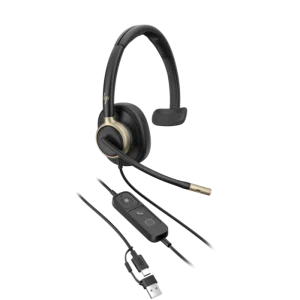 Corded headsets will be less expensive and are simple to set up, and the only maintenance will be an occasional ear cushion needing replacement. The comfort and quality of your audio will be top-notch if you choose guaranteed new products from leading manufacturers, such as Poly, Jabra, and EPOS (formerly Sennheiser). Straying from the big three will most likely cause more headaches than what you make up for in cost savings.
- Wireless headsets will be more expensive, require slightly more setup and need to be connected to power each night so you start your next workday with a fully charged battery. In addition, batteries typically last two to three years. Many models offer replacement batteries, allowing you to refresh your headset so it holds a charge as if new. With advances in technology, users will find the sound quality equal to that of corded headsets. Wireless has a huge advantage over corded in allowing users the freedom to roam about the office as they talk. Many models will also let you receive remote call alerts (so you don’t miss calls to voicemail and spend the day playing phone tag), and answer/hang-up calls remotely (so you don’t have to run back to your phone for every call).
In short, it comes down to the budget. If you can afford it, wireless is the obvious solution. You are simply more productive if not tied to your desk by a cord and can easily collaborate with others in your office as you take your callers with you. You will also find that the best headset for conference calls is a wireless option. This lets you get up, walk around and stretch your legs so you’re not confined to the same chair and position for hours on end.
Wearing Options for a Microsoft Headset
The best Microsoft Teams headsets offer different wearing options, including:
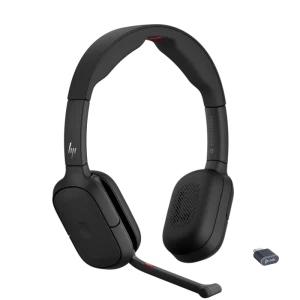 Over-the-Ear/Behind-the-Ear — Choosing this wearing option will typically give you smaller, lighter-weight headsets. You will sacrifice battery size, resulting in less talk time, with most models not offering a replacement battery, as it is soldered directly to the circuit board to help reduce overall headset weight. Audio quality will be acceptable for typical business use.
- Headband with Single Ear (Mono) — Choosing this wearing option provides a very secure fit for all-day comfort. You will have a full-sized speaker, giving you slightly better audio quality than ear models. With the full-sized speaker, you also create more of a barrier to the noise around you versus what you’re trying to hear through the headset. This improves your call quality and the ability to take in more accurate information from your caller. With the other ear open, you can stay in tune with your environment and have conversations with co-workers more easily. Most monaural headsets have an adjustable headband and offer foam or leatherette cushions that will need to be replaced on occasion with heavy use.
- Headband with Dual Ear (Stereo) — Choosing this option will give you the most secure fit and best audio possible. When covering both ears, you can focus on your callers much more easily and avoid distractions from background noise. You can also slide one speaker back behind your ear on most models to converse with co-workers while maintaining a stable fit. Most binaural headsets have an adjustable headband and offer foam or leatherette cushions that will need to be replaced on occasion with heavy use.
Above all, in loud or open office environments, dual-ear headsets always perform best while reducing the overall noise level of your office, as users don’t have to try to talk over each other during calls. For quieter environments, it really comes down to personal preference. If you don’t want to mess up your hair, an ear model will work well. If you feel a more secure fit is most important, then opt for a headband model.
Microsoft Teams is also available from Jabra in Audio and Video Conferencing:
See the benefits of Microsoft Teams as deployed throughout an entire company:
Let’s Upgrade to a Smarter Teams Headset
Whether you’re standardizing your entire office on Microsoft Teams or managing a mixed-platform environment, our specialists can help you match the right Mission, Focus, Blackwire, or Jabra headset to your setup. Request a quote today to learn more.
Request a QuotePoly’s Teams-certified models, including the Mission and Focus 6 series, work with Microsoft Teams as soon as they’re plugged in or paired — no extra software is required for day-to-day use. IT admins who want centralized firmware updates, device management, or the ability to customize settings across a fleet can use the HP Poly Lens or Poly Studio management app.
ANC and other noise-cancelling features do use more power than running without them, but the Focus 6 series is still rated for 25 to 30 hours of talk time on a full charge, and its battery is replaceable so the headset stays useful well beyond that.
Yes. Poly’s Teams-, Zoom-, and Google Meet-certified models still function as standard Bluetooth or USB headsets with other softphones and UC platforms — you may just need to select the headset manually as your audio device in your computer’s settings, the same as with any standard UC headset.
Microsoft Teams Related Articles
If you've narrowed down your headset configuration (Native Teams, Teams-certified, or standard UC), the articles below cover the next layer of decisions most Teams headset buyers work through before they finalize a purchase. Whether you're choosing between wired and wireless, comparing models by all-day comfort, or building a shortlist of the best headsets available across the full market, each resource goes deeper on a specific angle this guide covers at a high level. Read whichever matches where you are in your decision, and reach out to our specialists if you need help matching the right certified model to your team's setup and platform.
Get an in-depth look at which wireless office headsets perform best, including Microsoft Teams certified headsets from Poly and Jabra that combine wireless freedom with the busy light and boom rotation mute features top Teams users rely on.
Review our expert picks for the most comfortable and clear headsets for work, featuring several of the best Microsoft Teams headsets on the market, chosen for all-day wearability, audio clarity, and Teams certified performance.
Discover which headsets offer the best all-day comfort for business use, and see why several of the most comfortable models also rank among the best Microsoft Teams headsets thanks to Teams certification and lightweight, all-day designs.