

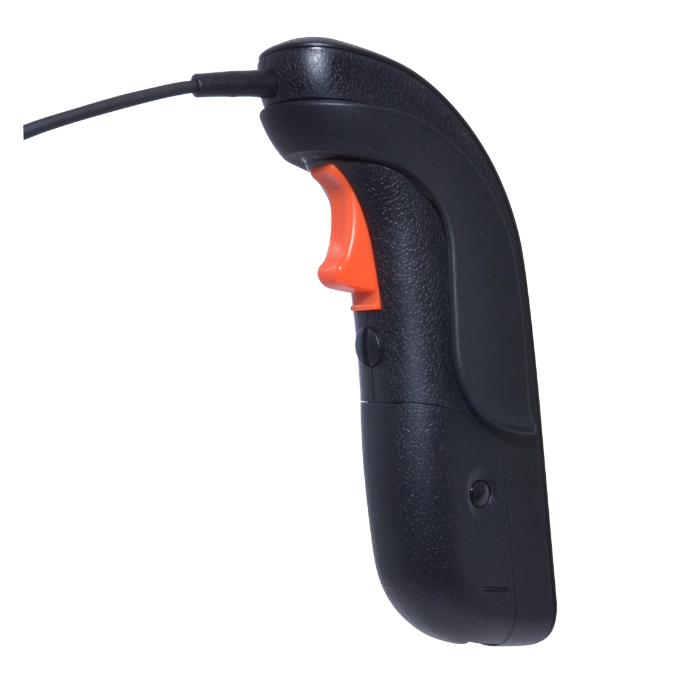

JPL Scout 3100 DECT Handheld Trigger (575-406-3101)
The JPL Scout 3100 replacement handheld trigger is a wireless DECT push-to-talk headset amplifier, perfect for secure, mission-critical conversations in public safety dispatch, air-traffic control, radio dispatch operations, and training simulations.

JPL Scout 3100 DECT Handheld Trigger Pairing Instructions (Model 1.3):
BEFORE YOU START: Keep the base station and handheld trigger within 0.5m of each other.
Release each button immediately when the stated LED pattern appears.
- Disconnect base power: Remove USB power from the base station and wait 3 seconds.
- Power off the handheld trigger: Hold the in-use LED button (approx 8-10 secs) until the LED flashes one slow flash, then release and the LED turns off.
- Reset the base pairing memory: Hold MIC+ (approx 5-6 secs) while reconnecting base power. Release MIC+ when the base headset icon rapidly flashes.
- Put the base into pairing mode: Hold the PAIR button. Release it when the base headset icon changes to a steady repeating flash.
- Start handheld trigger pairing mode: This is not a normal power-on. Hold the in-use LED button for (approx 7-8 secs) and release immediately when the handheld LED rapidly flashes.
- Wait for the base to find the handheld: The base headset icon stops flashing (approx 5-10 secs).
- Open the audio connection: Wait for a further 2-3 seconds, then short-press the handheld in-use LED button once.
- Confirm pairing: The headset icon on the base station should now be solid green and the handheld battery LED should be lit up.
IF PAIRING FAILS: Repeat the complete process once. If it still fails, contact JPL Support.
Reviews
There are no reviews yet.