
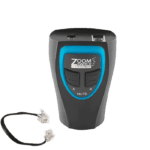
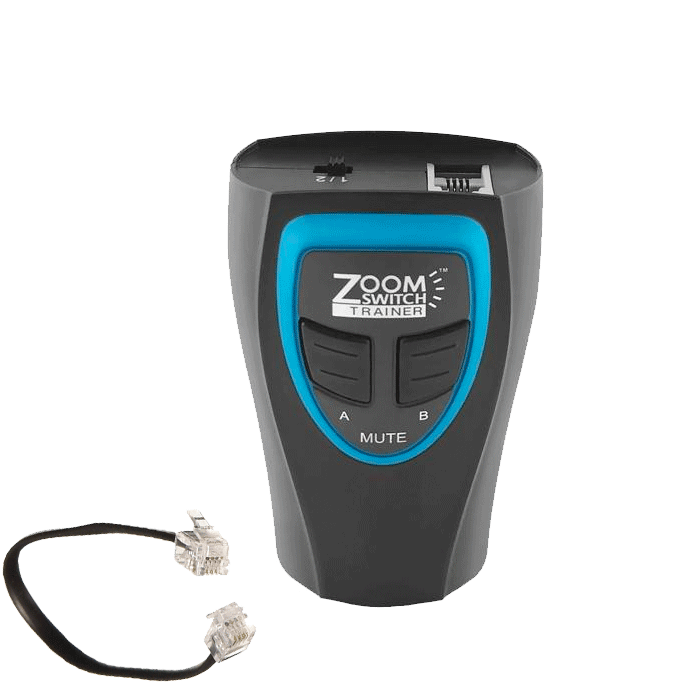
Zoomswitch Wireless Training Adapter
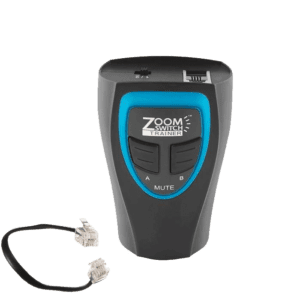
With the ZoomSwitch Wireless Training Adapter, managers and supervisors can listen-in and monitor calls of employees and agents while roaming the office with a wireless headset, accomplishing other tasks. As needed, they can return to their employee or agent and provide additional coaching or with the touch of a button, take over the call.
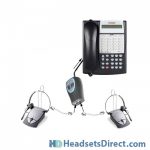
Headset users can now train and have a second person monitoring conversations without sacrificing mobility. Simply plug one wireless unit into the adapter and enjoy normal conversations. When a second headset (wireless or corded) is plugged into the adapter, either or both microphones can be muted with a push of a button to provide listen-only capabilities.
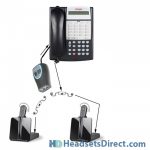
This is a great device for an individual that wants the freedom and mobility of a wireless headset while monitoring a new trainee. It also allows two wireless headset users to be on a conference call and move freely about their office.
Prior to the ZoomSwitch adapter, training required both users to sit next to each other while using corded headsets with Y-cords / Y-cables.
Installation
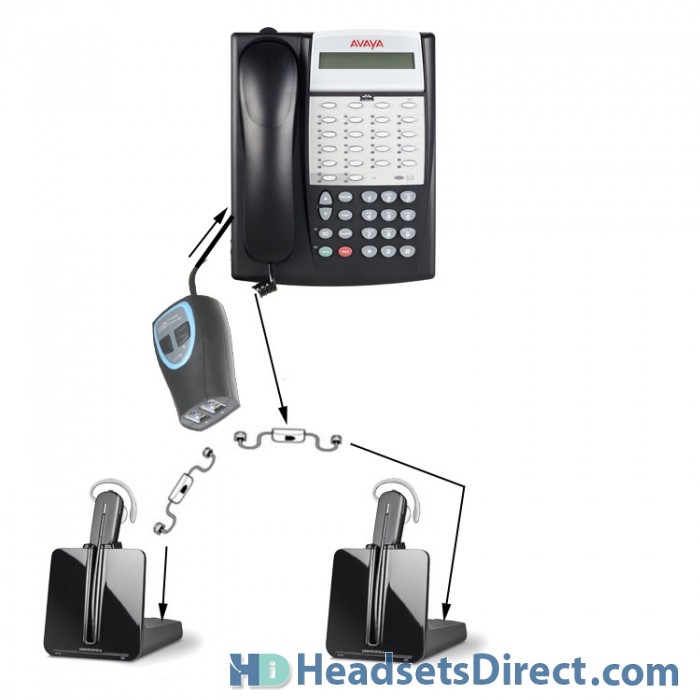
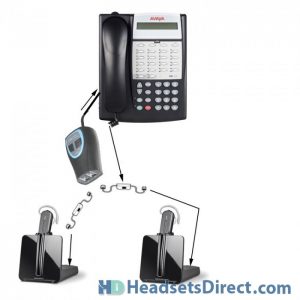
Installing on newer Plantronics CS500 & W700 models
Note: Our ZoomSwitch wireless training adapter is very versatile and depending on your configuration and EHS usage, may plug into your phone’s headset or handset port.
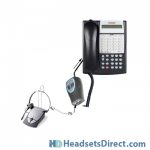
Unplug the interface cable that is plugged into your handset jack on your phone. The wireless training adapter ships with a cable, plug this cable into the handset jack on your phone. Make sure setting is on 2 on the wireless training adapter. The cable you unplugged from your phone that was in the handset jack now goes into the A jack on the wireless training adapter.
The second wireless headset will plug into B jack on training adapter, this is the interface cable that came with your wireless headset, must have power adapter plugged into wall or power strip for the 2nd unit to work.
On top of the training adapter there are two buttons for muting. A is for the wireless headset plugged into the A port and B is for the wireless headset plugged into the B port. When the button is pushed down, the corresponding headset is on mute or you can have both buttons up so both people can be live on the call.
Press the on/off button on the wireless headset that is plugged into jack A, you should have a dial tone at this point.
If you are not using a handset lifter, pick up the handset receiver and sit it to the side. Then push the on/off button on your wireless headset. Press the on/off button on wireless headset plugged into jack B, whoever is using the 2nd headset should also be able to hear the dial tone.
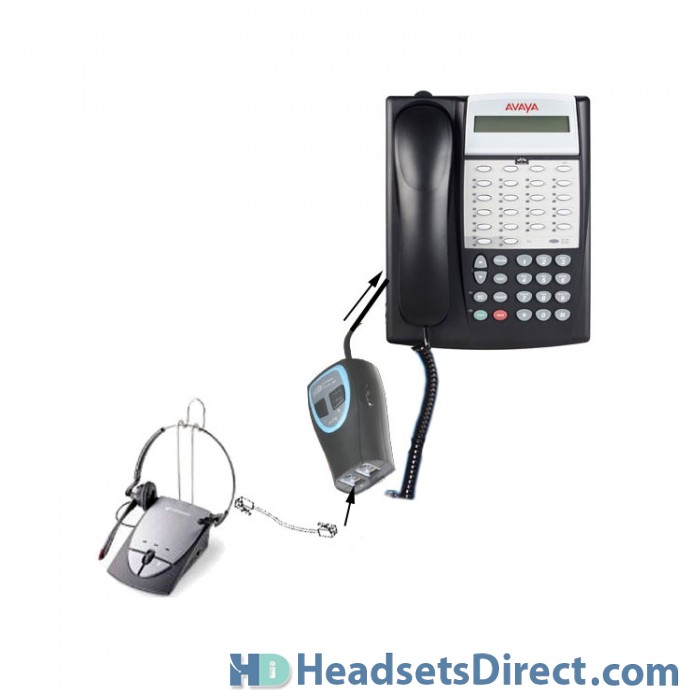
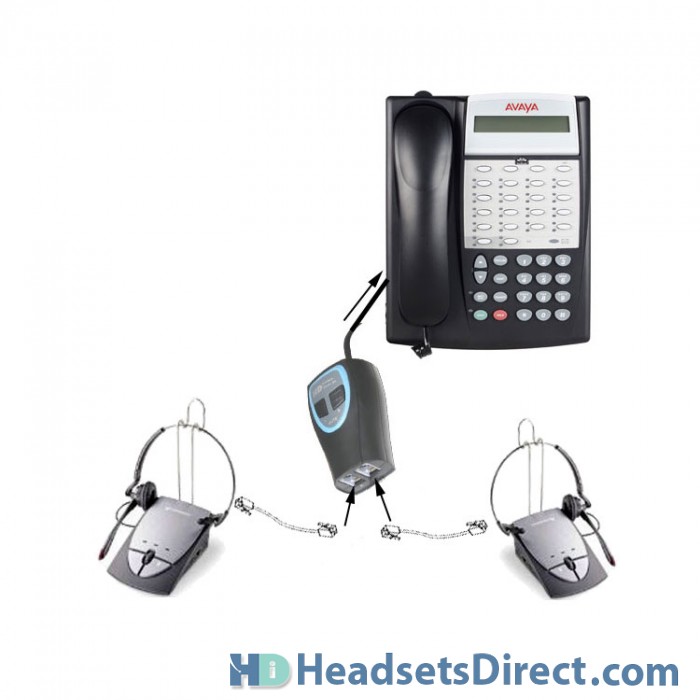
Installing on Plantronics corded S11/S12 models
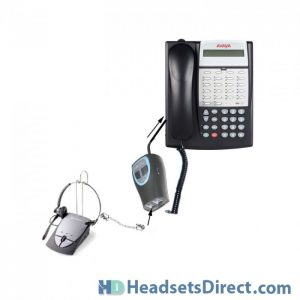
- Follow the curled cord coming from your handset receiver on your phone down to the handset jack on the base of your phone. Unplug the cord from the phone base.
- Plug the wireless training adapter into the jack you that you just unplugged your curled cord from. The adapter ships with this cord. Make sure the adapter is on setting 2.
- Plug the coiled cord on your handset (that came out of the base of your phone) into Jack A on the training adapter.
- The S11 system ships with a cord that would normally plug into your handset jack on your phone. Instead, this cord is going to plug into Jack B on the training adapter.
- Pick up the handset receiver from your phone; you should have a dial tone.
- Turn on the S11 headset by pressing the headset button on the unit; you should have a dial tone.
- There are 2 buttons on top of the adapter. When the button is up that headset is live, when the button is down that headset is on mute.
Using one headset and your handset:
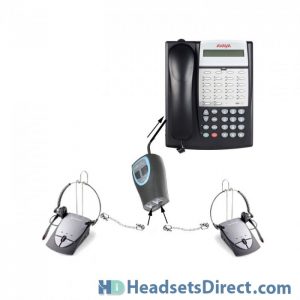
In this configuration, this works on most phones only when you plug into your handset port. Your headset port and button is not being used, so you will need to lift your handset off the phone to make and receive calls.
ZoomSwitch Wireless Training Adapter Product Details
- SKU: Zoomswitch-Trainer
- Formerly 03929-63
- UPC: 609728453800
Traci L (verified owner) –
Headsets Direct has always been prompt and efficient!
Yvonne K –
On speaking with the supervisor who originally requested such an item, he found the item worked well and will probably reorder in the future.
Jane B –
This will be a useful training tool however it was not as easy to connect as I thought it would be. Both parties must be on a headset in order for the adapter to work.
Debra –
Product works great. A more descriptive connection “how-to” would be very beneficial.
Kimble –
Easy to hook up, very useful training tool.
Gold –
This product has been an EXCELLENT purchase!! We love it!
Elsie –
Once we had it set up it was extremely easy to use.
Janelle K –
Very Useful Training Tool.
MM –
Great product!!! I manage a small call center and these are invaluable for training and being able to come on a call when the need arises.
Sheri B. –
Shipping was very quick. The device is easy to use and the mute function is a great from our last adapter. We will absolutely order this again in the future.
Sarah –
Worked just like I was told it would!
Elle –
Awesome product. We are doing a lot of cross training these adapters work very well. Very clear.
KeriS –
Love this product. Easy to setup and easy to use. Great training tool!
Eric –
Works great, Does what it is supposed to do. Easy to set up and use.
Hassar –
We use Jabra wireless headsets (model: GN9330e) and we use this for training purposes. Using this product we had good call clarity. It was convenient to not only have the trainee listen, but also take part in calls as well.
Gaurav –
2 star.
chris –
Worked perfectly. Customer service was unbelievable – called right after purchase to thank us and to offer help getting them working correctly.
Diane –
We use this to assist us in training our personnel who deal with clients on the phone. It works very well for us.
Jules –
Shipping was quick and it is excellent quality! Will be returning to order more as soon as needed.
Shaun –
This is perfect for training. Highly recommend.
bskol –
Great product, fast shipping.
Jeff –
Works great. Product shipped same day. Communication was excellent before and after order. Technical service before sale was great too.
Bernie –
We use Plantronics CS540 Headsets with the Training Adapter for new hires in our call center. We finally cut the cord from our wired training adapter.
Jay –
The HDI Wireless training adapter worked perfectly with our Plantronics CS50 headsets for our support team. It’s exactly what they were looking for. Thanks
Only issue I have is the shipping cost. A little on the high side for such a small device.
Mo –
Great product.
TC –
We have a heavy call center client who loves this training device. It’s simple to install and intuitive to use. We haven’t had a problem with one yet.
Mona –
This was exactly what we needed when we needed to establish call shadowing with our recent phone system upgrade at our Technical Support Call Center.
It was pretty much like plug and play!
Tanya –
Unit works great. Connected to a CS540 that was linked via EHS cable to a Panasonic KX-DT543 telephone. Had to remove the EHS cable.
Great tech support.
Kirk H –
Been looking for a device like this for sometime, it works great as easy to install.
Kirk H –
Been looking for device like this for sometime, works great and easy to install
C.E. –
Great device for training. Plug in your headsets and it’s ready to go. Would purchase again.
jk –
Works very well and easy to use. Great product.
Great –
We have a heavy call center client that really loves these for training. It’s easy to use and the quality is great.