
Wireless Headsets
Headsets Direct understands the needs of the modern worker and provides a wide range of wireless headsets designed to deliver exceptional sound quality, comfort, and durability. Our headsets are perfect for call centers, businesses, home offices, and individuals who want to stay connected hands-free. Whether you need wireless business headsets for your desk phone, computer, or mobile device, we have the perfect solution. Explore our collection today and experience the freedom and flexibility of wireless communication!
Choose From The Following Wireless Headsets:
Wireless headsets come in many configurations. Start with what you want to connect to:
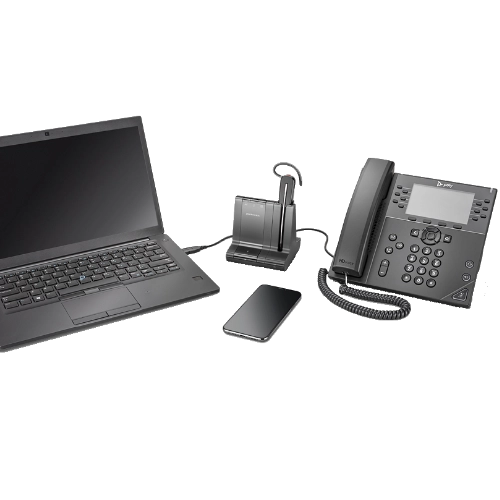 Multi Connectivity Wireless Headsets
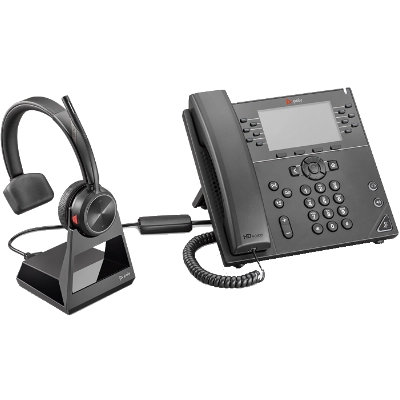 Wireless Headsets for Office Phones
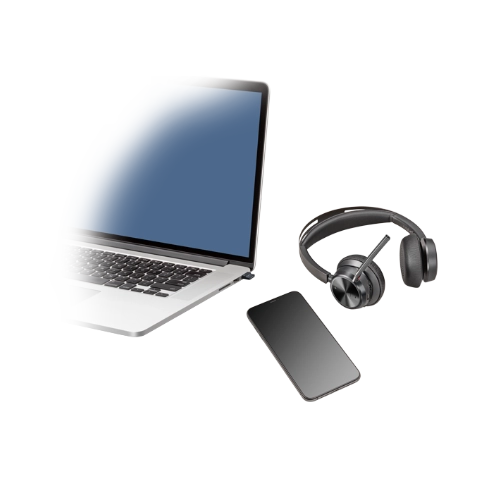 USB Wireless Headsets for Computers & Deskphones
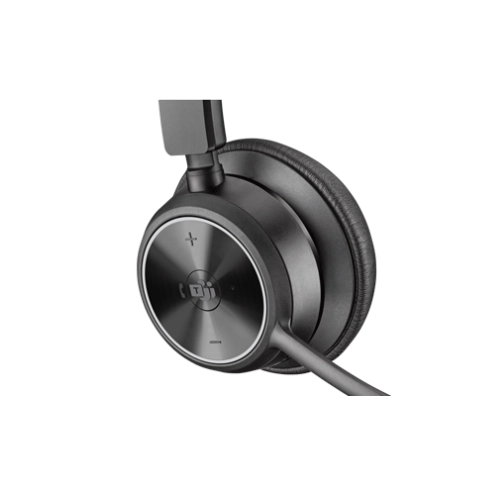 Microsoft Teams Wireless Headset
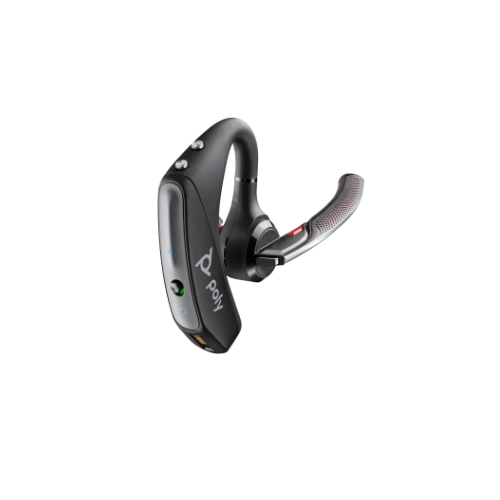 Cell Phone / Bluetooth Headsets

Wireless Business Headsets
There’s more to a quality wireless headset than what you hear. Since its conception, it’s amazing to know how much wireless headsets have created a big impact on our daily lives. Our ability to communicate and deliver the right message is improved. Productivity and efficiency at work have been better. Wireless headsets are actually setting a trend in this era of digital technology and yet we only know a little about how they really work.
Wireless Headsets That Deliver
If you need headsets, wireless is the way to go. There’s more to a quality wireless headset than what you hear. Since their inception, it’s amazing how much wireless business headsets have impacted our daily lives. Our ability to communicate and deliver the right message has improved. Productivity and efficiency at work have never been better. Wireless headsets are setting a trend in this era of digital technology, and yet we only know a little about how they work.
Why Wireless Headsets Matter
The benefits you can get are a definite consideration when choosing one wireless headset for work over others.
In today’s competitive market, increased productivity at work is essential. Wireless headsets play a crucial role in improving productivity and efficiency. Here’s why:
Hands-Free
Wireless business headsets give you more freedom for writing and typing, making you much more productive. With a typical phone, your hands are tied up until the call ends — that is, one hand is holding the phone and movement is restricted with your other hand. Plus, you can only move around within the cord’s reach. Compared to a wired headset, you can move freely, do things faster and finish work more efficiently with a wireless headset.
 Healthier Alternative
A wireless headset with a mic is a healthier alternative to a regular phone. You can work more comfortably without cradling your telephone handset against your shoulder, which causes neck and shoulder pain. Studies and research have shown that using a wireless headset can relieve the pain and stress of holding your phone to your ear and cradling it simultaneously over your shoulder. Cradling strains your muscles, eventually resulting in a sore neck, muscle cramps, and back pains.
Excellent Sound Quality
Headsets, whether wired or wireless, provide much better audio than traditional phones. The noise-canceling technology behind wireless headsets makes them the ultimate choice for office setups at home or in a business.
Understanding Wireless Headsets
There are many things to consider when choosing the right wireless headset. You probably have a long list of things to consider before buying one. Whether you’re working from home or an office, you need to get the best wireless headset or at least one with good enough audio quality for you to be efficient and productive.
But, before you get to the buying phase, it is vital to understand the overall structure of wireless business headsets and how they work.
Generally, a wireless headset operates through a series of transmitted signals from sources that have been paired beforehand. Because they do not use cables or wires to connect the two devices, you have to pair them. Signals from the source device are encoded and transmitted via electromagnetic waves — radio or infrared. More commonly known as carrier signals, these carry the data transmitted from one system to another.
On the other end, headsets receive these signals and decode them as audio.
Bluetooth vs. DECT Wireless Technology
When deciding between wireless headsets for work, it helps to know the technology behind the scenes that might affect which product works best for your environment. We regularly have customers calling wanting a “Bluetooth headset,” not understanding they really want a “wireless headset” that might use Bluetooth or DECT technology. They both perform the same function of transmitting sound between devices, but distance, compatibility, and the number of connected devices must be considered.
Bluetooth Technology
Bluetooth wireless headsets use 128-bit encryption, making it extremely secure once devices are paired. Bluetooth range is determined by what class of Bluetooth your device is designed with. Class 1 has the widest range, reaching about 330 feet. Class 2 will provide a standard 33 feet. Last is Class 3, providing about 3 feet, which is perfect for mice, keyboards, and other similar peripherals. Bluetooth operates on the 2.4 GHz band with approximately 79 separate channels.
DECT Technology
DECT stands for “Digital Enhanced Cordless Telecommunications” or “Digital European Cordless Telecommunications,” as the technology originated in Europe. The U.S. and Canada use DECT 6.0, which operates on the 1.9 GHz band, slightly different from the standard DECT most other countries work on.
DECT products use 64-bit to 256-bit AES encryption, making the likelihood of someone listening in on your calls virtually impossible once the headset and base/dongle are paired. The transmission distance for wireless headsets using DECT ranges from 330 to 590 feet. This is a significant advantage for users needing extended range while on conversations.
DECT 6.0 allows for 60 roaming channels on the 1.9 GHz band. This means that, in theory, up to 60 devices can be used simultaneously without interference issues. Most devices will scan a channel for interference and hop to another until a clear channel is located. The last key point about DECT is it only connects to one device. This means if you have a DECT wireless headset, it will only connect to a base or dongle. It will not connect to a Bluetooth mobile phone or tablet.
Essential DECT points include:
- Encrypted, highly secure conversations
- 330 to 590 feet of roaming distance
- 60 channels available for devices
- Connects to only one base/device
FUN FACT: How Wireless Encryption Works
First, the wireless headset establishes an authenticated connection with the base. This requires several “handshakes” and creates a secure link. Once that happens, the headset turns voice into digital data, encrypts it, and passes only the encrypted data back to the base, making the conversation highly secure.

Carrier Waves for Wireless Headsets
As the name suggests, wireless headsets are not dependent on cables or wires. This type of headset transmits audio signals through radio or infrared signals. Radio signals work through electromagnetic waves. Electromagnetic waves carry energy as they travel through the universe. Unlike sound waves, electromagnetic waves can travel without molecules. Hence, sound can still be transmitted even in space, where there are no molecules.
Through radio frequency, wireless business headsets typically operate at a range of 30 to 300 Hz, although some can go through as high as 3.2 GHz, depending on the type of headset.
Another type of electromagnetic wave is infrared, which uses higher frequencies than radio waves. Infrared has a frequency band of approximately 430 THz down to 300 GHz.
A wireless office headset with mic receives both analog and digital signals. These signals transmit the data from one system to another. Analog signal is the most common, the same transmission also used in FM radio.
With the onset of digital technology, manufacturers have designed wireless headsets to adapt to the digital world. Digital sounds are a digitized version of analog sounds, where snapshots of the amplitude of audio signals are taken instantly and then transmitted digitally.
Getting The Best Wireless Headset
Now that you know how wireless headsets work, you have some insights on what to consider before buying one. If you are currently on a work-at-home setup, finding the perfect wireless headset could be one of the greatest decisions you have ever made. If you spend a lot of time on the phone, quality sound and the ability to deliver your message without delay are your end goals. You must consider how you want to use your non-wired headset so you do not compromise quality.
Consider a reliable headset that gives you more bang for the buck. Weigh your options. Prioritize your needs:
Comfort
While wireless business headsets give you freedom and flexibility at work, it is equally important to always consider comfort over style. With a variety of choices available in the market today, your comfort should be your priority. If you will be working for hours taking calls, you need to make sure your headset fits comfortably on your ears.
Wearing Style
Of course, it also pays to consider your preferred wearing styles: single ear, double ear, or over the ear. Regardless of your preference, you should always make sure it gives you a comfortable fit.
Connectivity and Compatibility
Compatibility is crucial. Which device will you connect your headset to? Will it be a computer? A desk phone? Or will you be using a mobile phone? Whatever your device, there’s a wireless headset designed for your needs.
Battery
Since wireless business headsets do not have cables and are not always physically connected to a power source, you must consider the battery life. If you spend a lot of time on the phone, buying a headset that can last longer and meet your time requirements is essential.
Frequently Asked Questions About Wireless Headsets
It is so easy to lose sounds along the way because of their vulnerability to interference and challenges. But, by understanding the bits and pieces of what happens as wireless headsets process sound, you can have better control and maximize audio quality. Read the following questions to learn more.
Being an authorized dealer for many manufacturers, Headsets Direct has a wide range of solutions for you to buy when connecting to office phones, PCs and computers, or cell phones.
- For desk phones, wireless headsets will include a base unit that allows compatibility with hundreds of different phone models. An A/C power cable will plug into an electrical outlet. A telephone interface cable will connect between your desk phone and base. The headset will use DECT or Bluetooth wireless frequencies to communicate with the base, allowing you to roam your office and be hands-free during calls. At the end of the day, you will dock your headset on the base. This allows the battery in the headset to recharge and be ready for use the following day. Additional cables or lifters may be required for remote call alerts and answer/hang-up capabilities.
- For PCs and computers, a USB dongle will connect to your PC, which uses either DECT or Bluetooth wireless frequencies. You will configure your computer settings to use the wireless headset as your microphone and speaker source. Many new computers will do this automatically and ask if you want to use this device for audio.
- For cell phones and tablets, a wireless headset will need to use the Bluetooth frequency. The headset will connect by putting it into pairing mode and connecting the headset via your phone. For most cell phones, you will receive remote call alerts and be able to answer/end calls by simply pressing a button on the headset. Many headsets have sensors to know when you put the headset to auto-answer calls. Others will have voice commands to assist with call management. Cell phone wireless headsets will include a charging cable and, depending on the model, may offer different-sized earbuds and charging/travel cases.
TECH TIP: Many computers have Bluetooth connectivity, allowing a headset to connect directly without a dongle. This method is never as stable and tends to have unexplained issues. Thus, it is highly recommended to always use the dongle for the best wireless headset experience.
Wireless headsets will typically last two to five years. They are physically very durable and built to last, but the battery and diminished talk time will dictate when a replacement is needed. The batteries are made to recharge repeatedly, but over time they simply don’t hold the same charge as a new unit. A few wireless headsets will have replaceable batteries, which essentially refresh the unit to function like new again. Others will solder the battery onto the circuit board for space and weight savings. These are still replaceable but require soldering. Buying a new wireless headset every few years does have the advantage of better technology (noise canceling, for example), advances in batteries, and circuitry with lower power consumption.
When considering a wireless headset for work, your environment and wearing style will be the primary considerations.
Your Environment
If you work in a loud environment, noise canceling for the microphone and possibly in the speakers will be a tremendous benefit. You want callers to hear you clearly, and noise canceling in the speakers helps you focus and concentrate on your calls. Covering both ears will also be an advantage in loud environments. For quieter environments, you can use earbuds or single-ear headband models.
Your Wearing Style
Once your environment points you in the right direction, you can decide what style you prefer. Ear models are lightweight and very low profile. Headband models give you better performance with improved audio, talk time, and greater range. Many different models exist to meet a wide range of user needs, and it’s always best to talk with an industry expert to find your perfect headset.
When considering wireless headsets for business, audio quality must be your focus. Headsets with a great noise-canceling microphone will be a must. There’s a wide range between manufacturers and models of how much noise is removed or blocked from your background. It’s crucial your caller only hears your voice. If you’re working from a busy office, coffee shop, or subway, you don’t want your caller to hear any background noise and constantly wonder what’s happening behind you. Hearing only your voice will keep your caller focused and engaged in your conversation.
TECH TIP: When testing/evaluating which headset is best for your business calls, you will have some wireless headsets that reduce background noise, making your voice louder and more prevalent. Other models will only shut the mic off when you are not talking. This temporarily gives you noise canceling, but once you start talking again, your voice and any loud background noise all come through the microphone together. Take note of the difference in how much noise comes across when the headset wearer is talking and not talking.
Your secondary considerations will be talk time and roaming distance. If you have long business days and need extended time on calls, make sure your battery is up to the task. You will need to narrow your search to wireless headsets offering long talk times or models with hot-swappable batteries (having a spare always charging and replaceable during calls). Depending on where your business calls take you, make sure you have the roaming range to easily cover the distance you need. Is that to the conference room down the hallway … or the back corner of the warehouse? DECT headsets will give you greater range and have been the frequency of choice for decades in the business environment.
For users in a noisy office, noise-canceling technology in the speakers will be critical. To focus on calls, active noise canceling (ANC) will implement microphones on the outside of your headset’s speakers and pick up any background noise around you. The headset circuitry then creates the opposite sound wave of that noise and transmits it into your speaker, making the noise significantly reduced, if not completely gone. Many ANC headsets will have different levels you can set the noise canceling to, providing the most natural and comfortable choice for each individual and environment.
Purchase Wireless Headsets for Work From Headsets Direct
Take your communication to the next level, and order wireless headsets for work from Headsets Direct. We can deliver wireless headsets in bulk, and our comprehensive collection includes wireless headsets for office phones. When you want quality, comfort, and reliability, you want Headsets Direct. Browse our extensive selection today, and find the perfect solution for your requirements.
Shop Wireless HeadsetsArticles Related to Wireless Headsets
As your go-to wireless headsets supplier, Headsets Direct has a wealth of knowledge to share with you. We regularly post articles to help educate and inform our site visitors. Review the articles below to learn more about wireless business headsets.
Discover everything you need to consider when evaluating wireless headsets.
Find out what factors can affect the roaming range of your wireless headset.
Learn more about wireless headset styles, features, and more in our complete buying guide.