
Home »
Posts Tagged "Handset Lifter"
The listed instructions are for two Plantronics Wireless Headsets with or without an HL10 handset lifter.

There are different Plantronics products that can be used with this adapter. See our website for other configurations in the HDI Wireless Training Adapter User Guide.
Training Adapter (03929-63): The training adapter ships with its own cord. The cord plugs into the end of the training adapter where you see the word TEL. This cord should not be traded out for a longer cord. On the other end of the adapter there is an A jack and a B jack, this is where your wireless headsets will be plugged in.
Setting up the first wireless headset:
Note: Some phones also have a HEADSET jack, if you have a HEADSET jack on your phone, do not plug this training adapter into it, the adapter will not work. It must be plugged into the HANDSET jack for people to be able to hear you.
Step 1: On your phone, unplug the cord that is in the handset jack, (this cord comes from the wireless headset charging base).
Step 2: Take the cord you just unplugged from the phone’s handset jack and plug it into the A jack on the training adapter.
Step 3: Take the cord plugged into the training adapter next to the word TEL and plug it into the now empty handset jack on your phone.
You now have your primary wireless headset attached to the training adapter.
Setting up the second wireless headset:
Step 1: Take the cord from the second wireless base (this is the cord that would normally be plugged into the telephone) and plug it into the B jack on the training adapter. Note: On the underside (older units) or back side (newer units) of the wireless charging base, there is a picture of a telephone, the cord coming from this jack is the one you will plug into the B jack on the adapter.
Step 2: Make sure you have the power adapter for the second headset plugged into the charging base and the other end plugged into a wall outlet or power strip. The power indicator lights should be visible on both bases.
To configure the settings on the wireless training adapter:
On the training adapter where the single wire is coming from, next to TEL, there is a slider switch with two positions, 1 & 2, make sure the switch is sitting under number 2 when using two wireless headsets.
On the top of the training adapter there are two buttons for muting. A is for the wireless headset plugged into the A jack and B is for the wireless headset plugged into the B jack. When the button is up, that headset can be heard, when the button is pushed down, that headset is muted. You can configure the headsets either way for talking or listening purposes. This is also a great way to make a conference call with colleges.
Testing for a dial tone:
Note: If you are not using an HL10 handset lifer, you will first need to take the handset out of the cradle and sit it off to the side of your phone to get a dial tone. Turn on the headset plugged into A, you should have a dial tone, turn on the second headset, it should also have a dial tone. You are now ready to start using your training adapter.
If you have any questions, please give us a call at 800-914-7996; we will be more than happy to assist you.
read more
I ordered the HL10 Handset Lifter as a replacement for one that broke after two years of operation. The replacement is 99% the same, I say 99% because of one small problem, the 3.5mm plug is different…
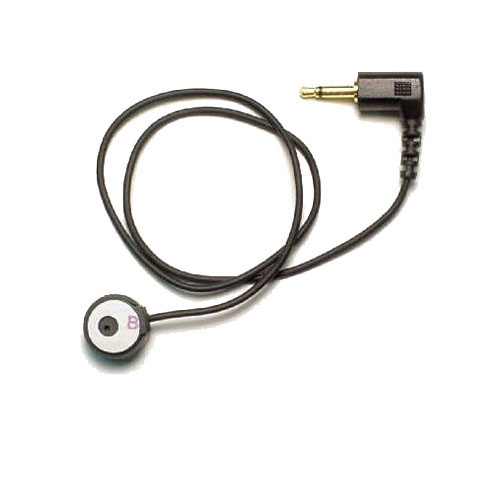
Unfortunately it can really be easy to get the wrong plug type when you don’t know or don’t realize that you have a choice in lifters. Plantronics actually does make two different versions of the HL10 Handset Lifter; the standard HL10 Handset Lifter (Plantronics part number 60961-32) and the HL10 “straight plug” Handset Lifter (Plantronics part number 60961-35). They both go by the same “HL10” model, but they have different manufacturer part numbers. The only difference between the two versions is the shape and design of the actual 3.5mm plug on the end of the cable; the standard HL10 lifter has a 90 degree angled plug, while the HL10 “straight plug” lifter has a longer straight plug with no angles.

The standard Plantronics HL10 Handset Lifter (Plantronics part number 60961-32) was designed to be used with the Plantronics wireless headset systems that have the lifter jack on the bottom of the base unit, such as the Plantronics CS50, CS55, CS70, CS70N, CS351, CS351N, CS361, CS361N, Voyager 510S, AWH-54, etc. The standard HL10 Handset Lifter (part number 60961-32) is the more universal plug model and therefore will also work on the newer Plantronics CS500 series and the Plantronics Savi W700 series headset systems as well (the lifter jack on the newer wireless headset models is located on the back of the base unit, as opposed to the older units where it is located on the bottom).
The Plantronics HL10 “straight plug” Handset Lifter (Plantronics part number 60961-35) was designed to be used with the newer Plantronics wireless headset systems that have the lifter jack on the back of the base unit such as; Plantronics Savi WO100, Savi WO200, Savi WO300, and Savi WO350; the newer “CS” models, CS510, CS520, CS540; and the newer Savi models, W710, W720, W730, and W740. Although the Plantronics HL10 “straight plug” Handset Lifter (part number 60961-35) was made specifically to work with these newer headset models, just remember that you can still use the standard HL10 Handset Lifter (part number 60961-32) on these too. So as long as your existing Handset Lifter is working fine, you can upgrade your headset without needing to upgrade your HL10 Handset Lifter.
However if you have the Plantronics HL10 “straight plug” Handset Lifter (part number 60961-35), it will technically work with the older headset models that have the lifter jack on the bottom of the base unit, but it will not fit properly. And you may be able to buy an aftermarket 3.5mm extension cable that has a 90 degree plug that will better adapt the HL10 “straight plug” to the older Plantronics headset system, that way the base isn’t “jacked up”, but you are probably better off to just get the correct lifter. The standard Plantronics HL10 Handset Lifter (Plantronics part number 60961-32) with the 90 degree plug may be the better choice simply because it is more universal. Hopefully this information gives a little clarity and understanding to the Plantronics HL10 Handset Lifter conundrum, that there really are two different ones, and helps you to make the right choice between the two versions for the proper lifter that you need.
read more
 |
1) A10 Direct Cable (66268-03) - The Plantronics 66268-03 A10 direct connect solution offers extremely clear sound quality and superior reliability, the A10 cable will usually say “A10-16” right on the quick disconnect plug. The A10 cable allows you to easily connect a Plantronics H-series headset to most headset-ready phones, via the built-in dedicated headset jack on the telephone.The A10 cable (66268-02) replaced the Polaris cable (27190-01) for most “Polaris” applications. The A10 model numbers 66268-02 and 66268-03 are the same cable, the “-03” is the current model. When a cable (A10/Polaris) is installed into the headset port of some phones (For Example: Nortel T7316), the handset/speakerphone will be disabled due to the design of the phone. The phone may be programmed to prevent this.
The A10 cable should not be used if the compatibility guide calls for HIS, HIC, HIP, or 26716-01 amplifier / Cisco cable with an H-series headset. Otherwise using an H-series headset with the A10 cable is equivalent to a Polaris solution. |
 |
2) Amplifier / Cisco Direct Connect Cord (26716-01) - The Plantronics 26716-01 amplifier / Cisco direct connect cable. The 26716-01 is the standard cable that comes with and is used on the Plantronics MX10, M10, M12, and M22amplifiers.The 26716-01 coiled cable connects any H-Series headset with a Quick-Disconnect plug to a compatible Plantronics amplifier, or telephones that have a compatible headset jack. Typically the compatible telephones are the Cisco 7940, 7960, and 7970 models, also a few Avaya phone models as well. |
 |
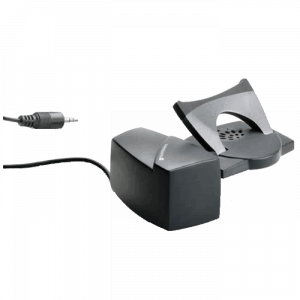
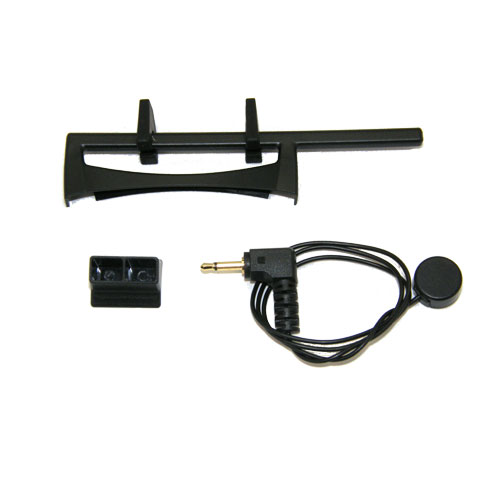
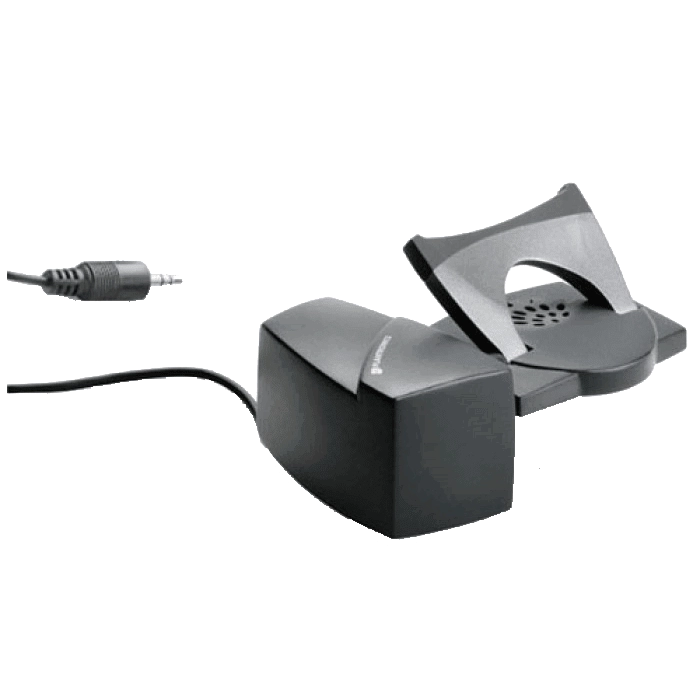
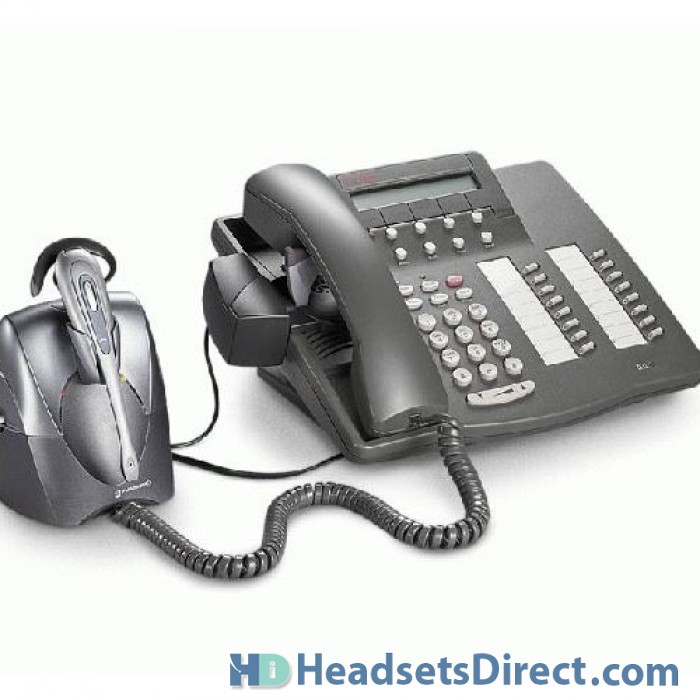
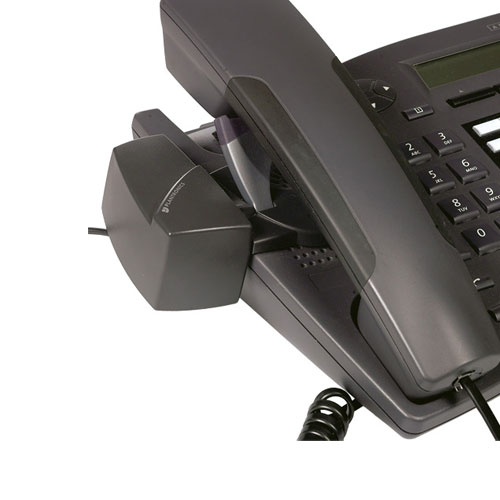
3) HL10 - The Plantronics HL10 Handset Lifter is a must-have addition to your Plantronics wireless headset system; it’s a great product if you are always answering phone calls away from your desk. The HL10 handset lifter fits on your telephone via double-sided tape, and allows you to answer calls with just the touch of a button on the headset, conveniently and automatically takes your handset “off hook”. Because the HL10 fits under the handset on your telephone, it requires no additional space on your desk. The HL10 Handset Lifter will raise and lower the top half of the telephone’s handset receiver so you don’t need to be at your desk to answer the phone, or to hang up (compatible with most telephones).Enjoy the full mobility of wireless conversations while you roam around your workspace knowing that you’ll be notified when a call is received, the headset will beep in your ear when you have an incoming call (for most telephones) and you can answer / end a call whenever you choose.
|
 |
4) 40709-02 - The Plantronics 40709-02 doughnut-style ear cushions are the replacement foam ear cushions for the Plantronics SupraPlus headset models. The 40709-02 are the standard foam ear cushions that come with certain corded headsets, such as models H251, H251N, H261, H261N, HW251, HW251N, HW261, HW261N, and other models that are in the Plantronics SupraPlus corded headset line. Optional leatherette doughnut ear cushions can be purchased for the SupraPlus corded headsets as well (model 67712-01) The leatherette ear cushions are typically more durable because you can clean them. |

|
5) 72442-01 - The Plantronics 72442-41HIS direct connect cable with Quick Disconnect, for connecting Plantronics H-series corded headsets directly to specific Avaya phone models.Take advantage of the full wideband audio that is offered with the 9600 model Avaya telephones when using the “HIS” cable and a Plantronics wideband headset, such as the HW291N. The Quick Disconnect (QD) plug allows the headset to unplug from the HIS bottom cable without losing the phone call. |
Replacing your Plantronics headset accessories is a great way to keep your headset performing at its best. When ear cushions tear, your voice tube gets clogged, or your wireless battery life isn’t what it use to be is the time to make your headset like new again.
read more
Plantronics CS540 to replace the popular CS540

The Plantronics CS55 has been Plantronics most popular wireless headset for many years since replacing the CS10. Launching September 2011 the new Plantronics CS540 wireless headset will take the reigns as the future most popular wireless headset for the office professional. The key upgrade is the extremely light weigh of the Plantronics CS540 headset. It will be the lightest headset in the professional industry weighing only 21 grams. You will have two wearing styles to choose from with the new CS540 consisting of an Over-the-Ear configuration or Headband Over-the-Head. The CS540 provides 7 hours of talk time using it’s new adaptive power system which optimizes the CS540 headset for the perfect balance between range and talk time. Having the range of 350 feet will allow you the freedom to roam your office while continuing your conversation on the phone and with the purchase of the optional HL10 handset lifter, you will have the ability to answer and hang-up on most phone systems. The biggest advantage of using the HL10 is that it will alert you in the headset when you’re phone is ringing so you can take the call with a simple push of a button and not miss the call to voice mail. The CS540 uses voice-dedicated DECT technology which eliminates Wi-Fi interference and when combined with it’s advanced wideband audio technology, you get the clearest conversations in the industry. You can also conference up to three additional CS headsets to have co-works join calls quickly and easily making your office more connected during important calls. To cut down on background noise to your caller, the Plantronics CS540 has a noise canceling microphone so your caller can hear you and not be distracted with your background noise and conversations. In short the new Plantronics CS540 is a light weigh headset that will give you ample talk time allowing you to be more product in your office environment as you roam your office gathering documents and other information needed for your caller.
For more information, visit Plantronics CS540 Wireless Headset
read more
We had a customer having a problem with their Plantronics CS55 Headset & HL10 Handset Lifter:
The Problem: I have had my Plantronics CS55 headset & HL10 for several weeks now, and they have been working great! Recently, however, it has dropped a couple of calls in mid-conversation. What’s up?
The Solution: If the HL10 lifter is actually hanging up the phone mid conversation there are several possible quick fixes that may solve your problem. First, check the small height adjustment button on the back of your HL10 lifter. You have a choice of low, medium or high settings. We suggest you set it on the medium (middle) setting because it works best for the majority of phones. With some phones if you set the HL10 on the low setting the handset is simply too heavy, so it slowly hangs up on you.
If that adjustment doesn’t solve your problem, lift your handset off the phone and manually pull the arm on your HL10 lifter up as high as it will go; then slowly push it back down. If the problem persists, your next option is to do a reset on your Plantronics CS55. You will find instructions on our Plantronics CS55 headset page under FAQ’s. Look for the reset information in blue print and click onto it. Once you have completed the reset, your Plantronics CS55 headset and HL10 lifter should be ready to go!
read more