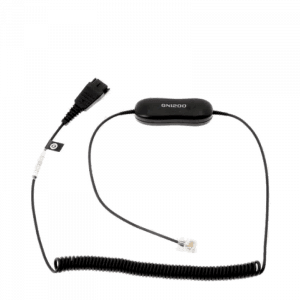
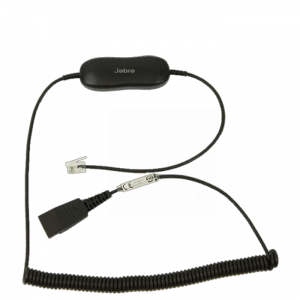
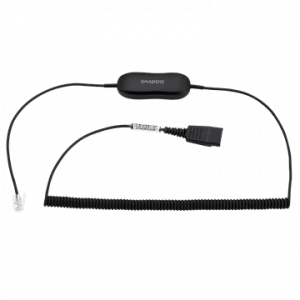
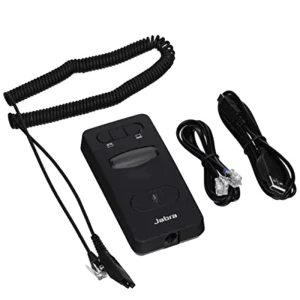
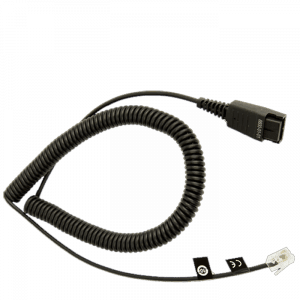
Plantronics 66268-03 A10 Direct Cable 1) 66268-03 - Direct Cable (66268-03) - The A10 direct connect cable is an economical way to connect H series headsets  to certain telephones that have an RJ9 headset jack, such as Nortel, Mitel and NEC.  Please contact our sales team at 800-914-7996 to determine if your phone can use one.
26716-01 Amplifier Cisco- Cable 2) 26716-01 Amplifier/Cisco Direct Cable This cable from Plantronics is designed to fit almost all Cisco phones.  If you have used the compatibility guide, you have seen this is the most common cord used with Cisco phones. These cords are plugged into the headset jack on the phone and then plugged into any of the “H” series headsets. You must have something between the phone and the headset; consider this the conductor telling the telephone and headset how to work together.
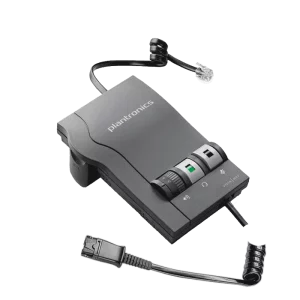
Plantronics M22 Vista Amplifier 3) M22 Amplifier - When you use an amplifier with your telephone, you have just opened a new world for using corded headsets. The M22 is one of the newest amplifiers that is made by Plantronics. The amplifier has phone compatibility on the side of the box; the number 5 is the most common usage. You can also adjust the little circle on the side. The most common mistakes made with the M22, are putting the batteries in incorrectly, not turning the volume up, and plugging into a headset jack.
Plantronics 17590-03 Supra H51/H51N Headband 4) 17590-03 - When you have broken your headband, and the microphone is still good, you can purchase this headband. It will work with the H51 or theH51N. Will not work with the newer models of headsets beginning with HW.
Plantronics 15729-05 Black Ear Cushions
5) 15729-05 - These ear cushions are great to have on hand when you run a call center; replacement is sometimes necessary for sanitary reasons. These match up with several different corded headsets.  Compatible with: H51, H51N, H61, H61N, H91, H91N, H101, H101N, SP04, SP05, PLX400, PLX500.

Replacing your Plantronics headset accessories is a great way to keep your headset performing at its best. When ear cushions tear, your voice tube gets clogged, or your wireless battery life isn’t what it use to be is the time to make your headset like new again.


read more

Plantronics 2-prong-adaptersWe have customers calling from emergency call centers asking about headsets for the consoles they are using.  One of the first questions we ask is, “Are you using a 4-wire or 6-wire application”? It is important that we have the correct information so we can get the correct equipment for your needs.

Products for 4-Wire Applications

Corded Solution: For a corded solution for a 4-wire application let’s start with the Plantronics P10 (29362-01) amplifier.  This amplifier will work on any operator console, PBX or ACD. Its volume & automatic gain controls lets you adjust the volume to a level that is comfortable for you.  Any of Plantronics H-series headsets will work with the P10.  Please note with 4-wire systems the user will need to use a foot pedal or the button on the console to toggle between the radio and telephone.

Wireless Solution: If you would like to use a wireless headset (like the CS55) you will need a Plantronics 18709-01 (PJ327).This is a 2-Prong to Modular Adapter that plugs into the console, then the wireless headset plugs into the PJ327.  Just keep in mind you cannot answer remotely by using your wireless headset. You must answer on your system first, then push the button on your wireless headset to take the call. Once you have the call, you now have up to a 300’ or 350’ range (depending on which wireless unit you are using) from the base of the Plantronics wireless system, and you are hands free.

Products for 6-Wire Applications

Corded Solution:  A corded solution for a 6-wire application would be the SHS1890 PTT (push to talk) Amplifier, it is offered in three different lengths 10, 15, or 25 feet. This adapter lets you toggle between your console and phone with just a push of a button. You will also need to choose an H-series headset to use with the CA12CD to complete the set-up.

If you prefer to go wireless, then the CA12CD might be the choice for you.  This system comes with a dual battery pack and two charging wells; one for the remote unit, while the other facilitates charging the extra battery pack (supplied with unit).  It runs on DECT 1.9 GHz. It has a push-to-talk amplifier for 6-wire applications, and a 2-prong PJ-7 connector (equivalent to WE-425).  It has Digital (DECT™) technology operating in the 1.9GHz radio band to provide superior voice clarity and security.  Lithium-Ion battery packs provide longer talk time (approximately 8 hours) and faster recharge rates.  Just a note here, Plantronics recommends using the first battery for the first half of a shift and then replacing it with a fresh battery for the second half, this will prolong the life of the batteries.  It also has a robust PTT switch with selectable locking/non‐Locking operational modes. The push-to-talk amplifier has a quick disconnect feature to be used with the Plantronics H Series headsets.  The CA12CD comes with a 1-year warranty.  The H-series headsets have a 2-year warranty.


read more
66268-02 1) A10 Direct Cable (66268-03) The Plantronics 66268-03 A10 direct connect solution offers extremely clear sound quality and superior reliability, the A10 cable will usually say “A10-16” right on the quick disconnect plug.  The A10 cable allows you to easily connect a Plantronics H-series headset to most headset-ready phones, via the built-in dedicated headset jack on the telephone.The A10 cable (66268-02) replaced the Polaris cable (27190-01) for most “Polaris” applications.  The A10 model numbers 66268-02 and 66268-03 are the same cable, the “-03” is the current model.  When a cable (A10/Polaris) is installed into the headset port of some phones (For Example: Nortel T7316), the handset/speakerphone will be disabled due to the design of the phone.  The phone may be programmed to prevent this.

The A10 cable should not be used if the compatibility guide calls for HIS, HIC, HIP, or 26716-01 amplifier / Cisco cable with an H-series headset.  Otherwise using an H-series headset with the A10 cable is equivalent to a Polaris solution.

26716-01 2) Amplifier / Cisco Direct Connect Cord (26716-01)The Plantronics 26716-01 amplifier / Cisco direct connect cable.  The 26716-01 is the standard cable that comes with and is used on the Plantronics MX10, M10, M12, and M22amplifiers.The 26716-01 coiled cable connects any H-Series headset with a Quick-Disconnect plug to a compatible Plantronics amplifier, or telephones that have a compatible headset jack.  Typically the compatible telephones are the Cisco 7940, 7960, and 7970 models, also a few Avaya phone models as well.
Plantronics HL10 handset lifter 3) HL10 The Plantronics HL10 Handset Lifter is a must-have addition to your Plantronics wireless headset system; it’s a great product if you are always answering phone calls away from your desk.  The HL10 handset lifter fits on your telephone via double-sided tape, and allows you to answer calls with just the touch of a button on the headset, conveniently and automatically takes your handset “off hook”.  Because the HL10 fits under the handset on your telephone, it requires no additional space on your desk.  The HL10 Handset Lifter will raise and lower the top half of the telephone’s handset receiver so you don’t need to be at your desk to answer the phone, or to hang up (compatible with most telephones).Enjoy the full mobility of wireless conversations while you roam around your workspace knowing that you’ll be notified when a call is received, the headset will beep in your ear when you have an incoming call (for most telephones) and you can answer / end a call whenever you choose.


40709-02 - Doughnut Ear Cushions 4) 40709-02 - The Plantronics 40709-02 doughnut-style ear cushions are the replacement foam ear cushions for the Plantronics SupraPlus headset models.  The 40709-02 are the standard foam ear cushions that come with certain corded headsets, such as models H251, H251N, H261, H261N, HW251, HW251N, HW261, HW261N, and other models that are in the Plantronics SupraPlus corded headset line.  Optional leatherette doughnut ear cushions can be purchased for the SupraPlus corded headsets as well (model 67712-01)  The leatherette ear cushions are typically more durable because you can clean them.
72442-41 - HIS Adapter Cable/Cord

5) 72442-01 - The Plantronics 72442-41HIS direct connect cable with Quick Disconnect, for connecting Plantronics H-series corded headsets directly to specific Avaya phone models.Take advantage of the full wideband audio that is offered with the 9600 model Avaya telephones when using the “HIS” cable and a Plantronics wideband headset, such as the HW291N.  The Quick Disconnect (QD) plug allows the headset to unplug from the HIS bottom cable without losing the phone call.


Replacing your Plantronics headset accessories is a great way to keep your headset performing at its best. When ear cushions tear, your voice tube gets clogged, or your wireless battery life isn’t what it use to be is the time to make your headset like new again.


read more

HW291N EncorePro Headset

When I use this headset I can relax, it is easy on the ear with the leatherette earpad.  This headset comes with a noise-cancelling microphone that has an adjustable and extendable boom for exact positioning.  The HW291N Headset lets you hear conversation around you so you know what is going on, but at the same time the noise-cancelling microphone will eliminate the background noise so that your client doesn’t hear.  This headset features a quick disconnect and can be used with either a cable that is compatible with your phone, or an M22 amplifier. This headset supports AudioIQ and Clearline audio technologies.   You have the assurance that this headset will give you precise listening level, sophisticated hearing protection and superior audio performance.  This headset offers great balance, fit and comfort, and can be worn on either the right or left ear.

When you pair this up with an M22 or AP15 amplifier, the HW291N EncorePro Headset will give a better performance.  You have more options for microphone, hearing, and phone compatibility.  This headset is used in call centers across America based on the phone type and model; you can use either a cable or amplifier.

Plantronics Compatibility Guide

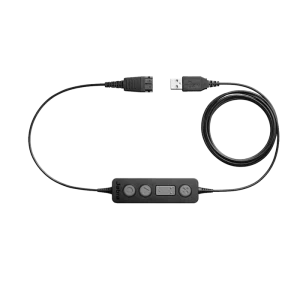
With this information you can determine which cord or amplifier works best with your phone.  This headset can easily be used with a quick disconnect and USB cord for those who have soft phone or computer calling.

With the wideband audio provided in the headset, this will extend the frequency radio range of audio signals transmitted over telephone lines, resulting in better quality speech. Traditional or narrowband telephone calls limit audio frequencies to the range between 300 Hz to 3.4 kHz.  Wideband audio increases the bandwidth limitation and transmits in the audio range to 50 Hz to 7 kHz or higher.

OK, now you have the headset and your cable or amplifier, you are ready to talk. No more shoulder and neck pain from squishing them together to hold the phone in place.  You really are hands free with this headset. Free to be able to type, rummage through files, write notes, all while on the headset with your client.


read more

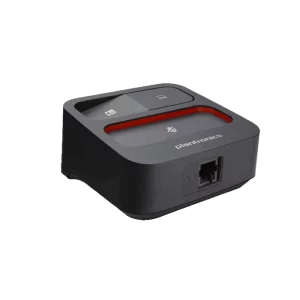
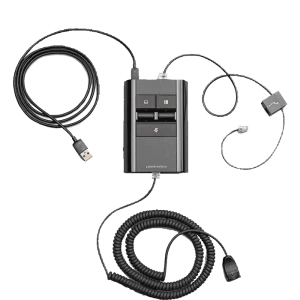
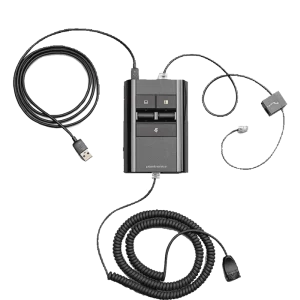
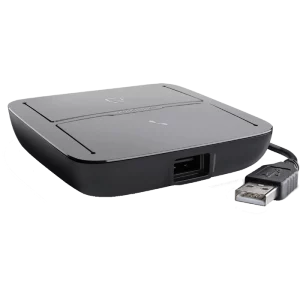
Are you looking for an inexpensive way to use one headset with your computer and your office phone without needing two different headsets on your desk? Take a look at Plantronics MX10 multimedia amplifier. This amplifier will work on your single or multi-line office telephones and computers. It delivers excellent audio quality for Skype, Windows Live or Yahoo Messenger Internet calling and is compatible with popular PC sound cards. The SoundGuard Plus sound compression protects you from harsh noises, like fax tones. On the computer side you can listen to music, record a call, use it for voice recognition, and sound recording.

Headsets Direct offers a large selection of Plantronics H-Top Headsets that are compatible with this amplifier.

It’s just a push of a button to switch back and forth between your computer and your office phone. You can choose to use the handset or the headset.  For use on office phone: Just keep in mind, to answer or place a call on your office phone when using the headset you will need to lift the phone’s handset off the cradle and place it on your desk, then place the handset back in the phone’s cradle  when you are finished with your call.  Also note: The Switcher amplifier is not designed to work on telephones that have the dial pad in the handset or on cordless telephones.

The MX10 multimedia amplifier comes with some great features; like a mute button for when you need a moment, volume control for you to be able to hear your caller loud and clear, and volume control for your microphone, which increases/decreases the sound of your voice. You can also use the MX10 amplifier for training purpose if using a Plantronics Y-Training adapter (p/n: 27019-03). You can make adjustments on the MX10’s default settings to make sure it’s compatible with your phone.

If you have any questions on the Plantronics MX10 Multimedia Amplifier just give us a call at Headsets Direct; any of our knowledgeable sales people will be more than happy to help you.


read more