
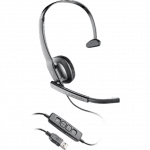
Plantronics Headsets
Plantronics Wireless Headsets |  Headsets Direct shopping cart View Cart  |  Sign In  |   FAQ  |  Shipping  | About Us  |  Headset Blog  |  Contact Us       
Headsets Direct - Your source for quality Plantronics Headsets.

Archive

Archive for the ‘Plantronics’ Category

Introducing the new Plantronics Savi 430 wireless headset for your laptop.

May 17th, 2010 Wayne No comments

plantronics-savi-430Introducing the new Plantronics Savi 430

Top quality wireless audio for the PC! Savi 430 is a wireless headset system for laptop centric professionals using PC softphones and multimedia. Savi 430 is the only portable DECT USB headset on the market, offering exceptional HD-voice quality and hands-free mobility.

It features:

  • Superior DECT 6.0 technology
  • USB DECT adapter with 180-degree articulation
  • Advanced wideband audio using CAT-iq technology
  • Noise-canceling microphone filters out background noise
  • SoundGuard technology mitigates audio spikes
  • Digital Signal Processing (DSP) provides more natural voice sound
  • Plug-and-play installation
  • Multi-task, hands-free for up to 300 feet
  • Conference in up to three additional headsets
Model Part# MSRP Available to Order
W430 (UC Standard) 82396-01 $279.95 May 1, 2010
W430-M (Microsoft) 82397-01 $279.95 May 1, 2010

Plantronics Voyager 835 Bluetooth headset has been discontinued.

April 28th, 2010 Wayne No comments

Plantronics Voyager® 835 Bluetooth® headset has been discontinued.

The last order date is May 28, 2010 (while supplies last) and the last ship date is June 30, 2010.

Plantronics booth information at CES 2010

December 21st, 2009 Wayne No comments

If you’re planning to attend CES 2010, stop by the Plantronics booth to see all of the latest headsets for business, home and on-the-go!
Las Vegas, Nevada
January 7-10, 2010
Plantronics Booth – South Hall 1, #21922

Plantronics Bluetooth MSRP Price Change

December 21st, 2009 Wayne No comments

Plantronics will be changing the MSRP prices listed on the following models to provide pricing consistency and product differentiation to our consumer market. This change only affects the legacy Plantronics Bluetooth headsets listed below.  Plantronics.com will be updated by Dec. 31, 2009.

Product Current MSRP Price New MSRP Price
D925™ $149.95 $129.99
Plantronics Voyager® 520 $99.95 $79.99
Plantronics Explorer® 390 $79.95 $59.99
Plantronics Explorer® 370 $79.95 $59.99
Plantronics Explorer® 360 $69.95 $49.99
Plantronics Explorer® 230 $59.95 $39.99

Plantronics new products announcement.

December 21st, 2009 Wayne No comments

New Plantronics .Audio Computer Headset Products!
Plantronics will be introducing 3 new PC USB Headsets at CES in January.

Products: .Audio 626 DSP, .Audio 646 DSP, .Audio 476 DSP
First Order Date: January 7, 2010
First Ship Date: February 26, 2010

Detailed product and order information will be available after the CES press announcement.

Plantronics 76777-01 Vehicle Power Charger Micro-USB is being discontinued.

December 21st, 2009 Wayne No comments

End of Life: 76777-01 Vehicle Power Charger Micro-USB

Product Name: Vehicle Power Charger Micro-USB
Model/Part #: 76777-01
Last Order Date: While supplies last
Last Ship Date: While supplies last
Replacement Part: Universal Mobile Charging Kit, SKU #81291-01

Plantronics Calisto Pro wireless headset to be discontinued by April 2010.

December 21st, 2009 Wayne No comments

End of Life: Plantronics Calisto® Pro
Due to supplier issues, the Calisto Pro is being discontinued. While there is no direct replacement for the product at this time, Plantronics remains committed to developing innovative communication products for use in the home office.

Product Name: Calisto® Pro
Model/SKU: 73680-XX
Last Order Date: April 2, 2010 (while supplies last)
Last Ship Date: April 30, 2010
Replacement Part: N/A

Avaya Selects Plantronics as the Preferred Headset Provider for Avaya Unified Communications

December 21st, 2009 Wayne No comments

Plantronics today announced an expansion of its 40-year business and technology relationship with Avaya to deliver Unified Communications (UC) and Customer Service (CC) solutions that help companies improve business collaboration and reduce operating costs. Plantronics has been named Avaya preferred headset provider to bring unparalleled audio quality, reliability and ease-of-use to enterprise business users. Plantronics and Avaya are working together to jointly introduce future voice solutions that take advantage of Avaya’s suite of collaboration applications toprovide a new level of communication intelligence to customers.

Beginning February 9, 2010, Avaya will no longer sell Avaya-branded headsets manufactured by Plantronics. However, Plantronics will continue to manufacture and sell headsets designed for Avaya solutions, and Avaya Germany will continue to purchase headsets directly from Plantronics.

Between now and February 8 it’s business as usual.  On February 9, 2010 Avaya-branded inventory will be shifted to Plantronics brand.  Plantronics will continue to manufacture and sell the same headsets designed for Avaya solutions under the Plantronics name and logo. All these Plantronics headsets will be available for sale through the Plantronics Authorized Distributors and Solution Providers for use with Avaya solutions worldwide.

Click here to read the entire press release.

Plantronics Voyager Pro review and comments needed.

December 15th, 2009 Wayne No comments

Plantronics came out with the Voyager Pro Bluetooth headset a few months ago and we have receive limited feedback from users.  We want to hear the good, the bad and the ugly so we can pass that information on to potential users.  Any comments would be greatly appreciated.  For example:

voyager_pro

How’s the fit?

Does the battery hold up for 6 hours?

Does the dual mic really cut background noise?

Thanks!

What are the Plantronics CT14 multi-unit features?

November 23rd, 2009 Wayne No comments

Though the Plantronics CT14 only comes with one dial pad and one charging base, you can actually register up to six dial pads to each base. If you purchase more than one CT14 unit, and have several dial pads registered to the same base, users can actually intercom with the other dial pads or even have a 3-way conference with another dial pad and an outside caller.

Registering multiple dial pads (handsets) to the same charging base:

1. Make sure dial pad batteries are fully charged.

2. Disconnect the AC adapter on the base you want to register your dial pad to. Then press and hold PAGE while reconnecting the adapter. Keep holding PAGE until CHARGE indicator starts to blink.

3. On the dial pad, press MENU/SEL. Select the Register Base menu. “Handset Registering” will appear in the display. After step 2, you have thirty seconds to complete this step 3 before the system returns to standby.

4. Wait approximately 30 seconds. “Registration complete” will be displayed on the dial pad screen when the handset has been registered to the base (a handset ID will be automatically assigned).

5. If “Registration failed” appears on the dial pad screen, please try these steps again.

Note: The handset will stay connected to the new base until you select a different base (see below).

One dial pad can also be registered (connected) to up to 4 different charging bases. You can set the dial pad to automatically search for a new base if the base it’s currently connected to is unavailable or out of range. You can also manually select which base you want the handset to connect to.

Manually selecting the base you want the dial pad to connect to:

1. Press MENU/SEL while the phone is standby; select the Handset Setup menu, and the Select Base submenu.

2. Move the cursor to select the base you want to connect to, or choose “Auto” to have the dial pad automatically search for and select the base nearest you.

3. Press MENU/SEL again. “Searching” will appear in the display.

4. The dial pad will return to the standby mode when the base is found. “Searching” will continue if this base is not found. You can repeat the above searching procedure or return to the original base.

Note: your call will be dropped if you change bases during a call.

How does the CT14 intercom feature work?

You need to have at least two CT14 units registered to the same charging base and within the reception range (up to 300 feet). Only two dial pads at a time can be on an intercom call, but while two dial pads are in the intercom mode, the rest of dial pads registered the same base will still be able to make and answer outgoing/incoming phone calls.

Can I make an intercom paging to more than one dial pad?

When you press INT’COM/CLEAR on your dial pad, you can choose to intercom with any one of the dial pads (handsets) registered to the same base or even intercom/page all the dial pads. However, only two dial pads are allowed to intercom each other at the same time, so only the dial pad that answers the intercom/page first would be able to intercom with you.

While two units are in the middle of an intercom conversation, what happens to calls coming in from outside callers?

During an intercom conversation, a background ringing will be heard by both parties when an incoming call is received. Either of the dial pads can answer this phone call by pressing TALK/FLASH. If there are other dial pads registered to (and in range of) the same base, any of them can also answer this phone call (this will not affect the on-going intercom conversation).

How does the 3-way conferencing feature work in CT14?

With two CT14 units registered to the same base, when an outside call comes in and is answered by one of the dial pads, a second CT14 dial pad will be able to join this call by pressing TALK/FLASH. This starts a 3-way conference. This non-traditional 3-way conferencing does not require any subscription to that service from a phone service provider. The user with the second unit can easily leave the conference by pressing END.

Can a 3rd or 4th user join a 3-way conference if there are already two users on the line with the incoming call?

Unfortunately, the 3-way conferencing feature is limited to 2 dial pads and one outside line. “Line in Use” appears in the displays of the rest of dial pads registered to the same base. Though the other dial pads can intercom each other during this time, they will not be able to answer or make outside calls.

Can I transfer the incoming phone call to another dial pad registered to the same base without dropping the call?

You can transfer a call from one dial pad to another as long as they are currently connected to the base:

1. Press INT’COM/CLEAR during a call.

2. Press Up or Down arrow to select the dial pad (you can also select All to page all dial pads) you would like to transfer the call to, then press MENU/SEL. The call will be automatically put on hold and you will hear a paging tone sound. To cancel the transfer, press TALK/FLASH.

3. The selected dial pad(s) will ring and show which dial pad is paging — and under that will display “Line on Hold”.

4. When another dial pad answers the transferred call, you will be disconnected from the call. You can re-join the call while it is active by pressing TALK/FLASH. This call would then become a 3-way conference (”Conf” will be displayed on the screen).

Can I keep my phone conversation private even though there are multiple units connected to the same base?

When you are on a phone call and you do not want other users to interrupt or join your conversation, you can set your dial pad to “Privacy Mode” and other users can’t join your call or intercom with you. While you are on a call, press MENU/SEL. Then select Call Privacy. “Privacy mode on” appears in the display for two seconds; the privacy icon (the letter “P”) appears and remains in the display until this feature is turned off.